← All work Sarim Naeem
Music & live events100% custom platformLive at gig-assist.com
Gig Assist

Every gig starts as a message. I designed the platform that takes it all the way to the stage.

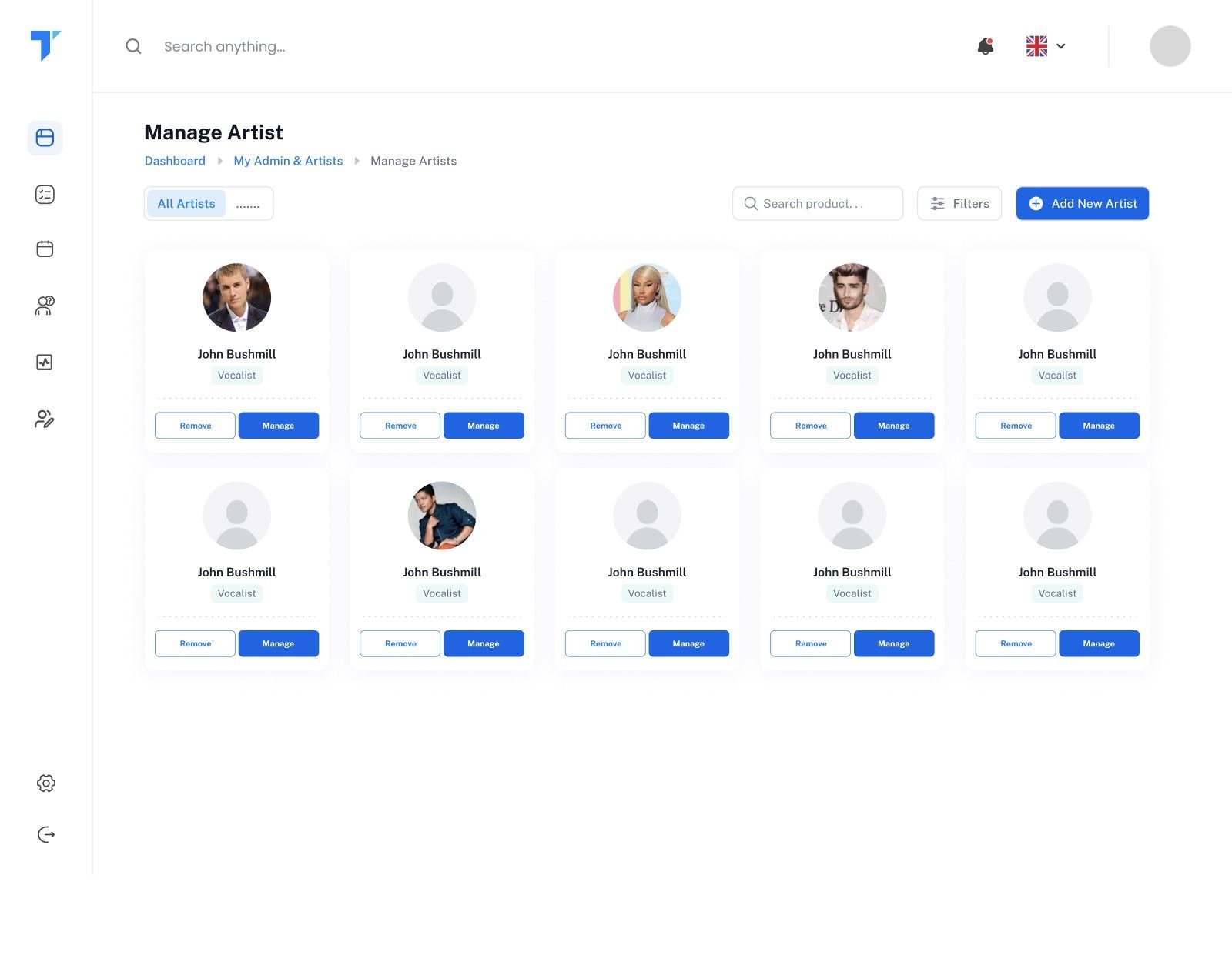
A super platform for gig management, custom-built for Sol & The Gang. Enquiries, bookings, WhatsApp artist confirmations, two-way email, setlists, itineraries, payments and analytics, all in one place. I owned it end to end, from the first brief to the live product.

My role
Product Designer · Product Manager · Solution Architect
Client
Sol & The Gang · live music act
Team
Me + one developer (Sharjeel)
Platform
Web app + WhatsApp · custom build
gig-assist.com/dashboard
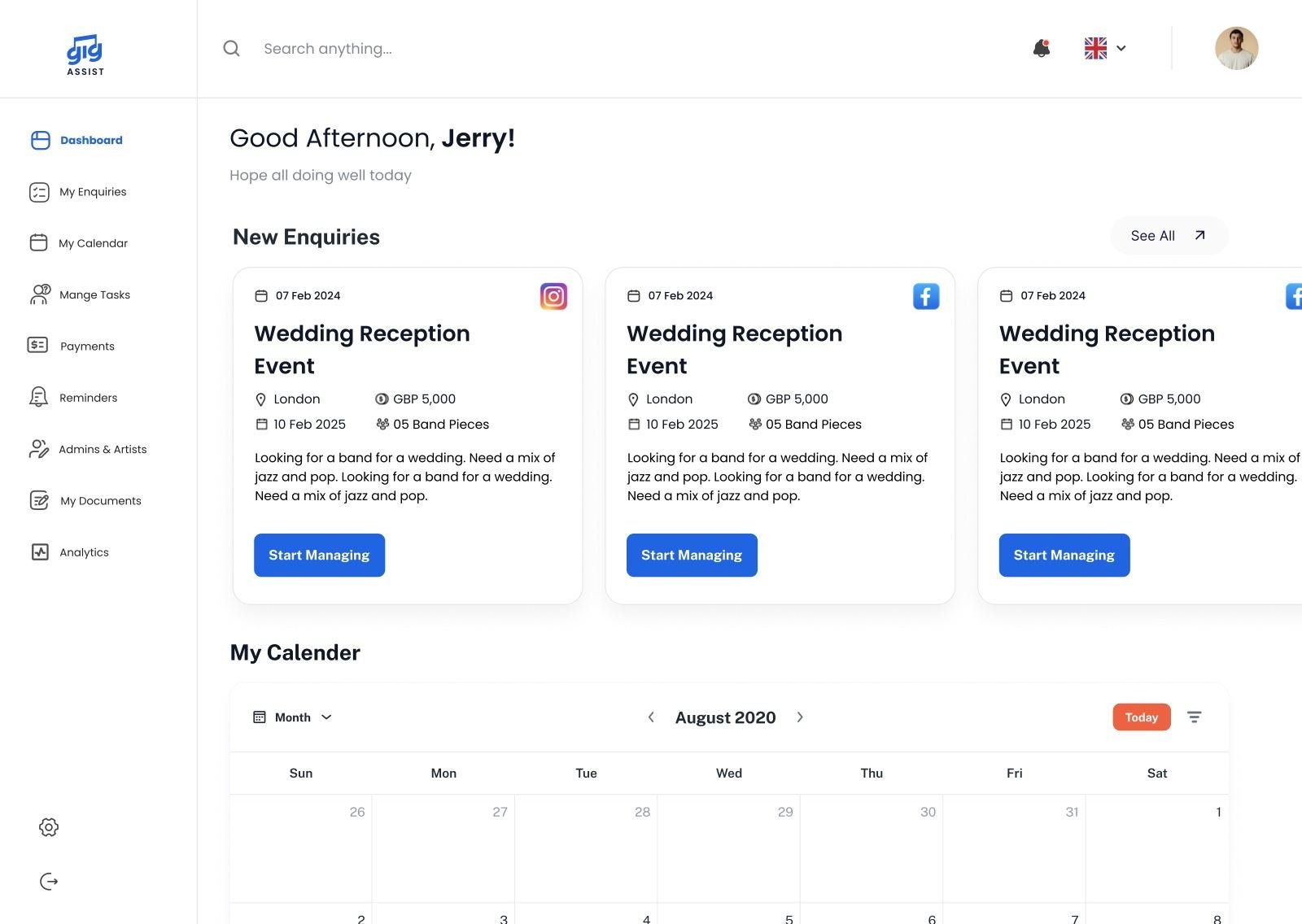
Gig Assist dashboard
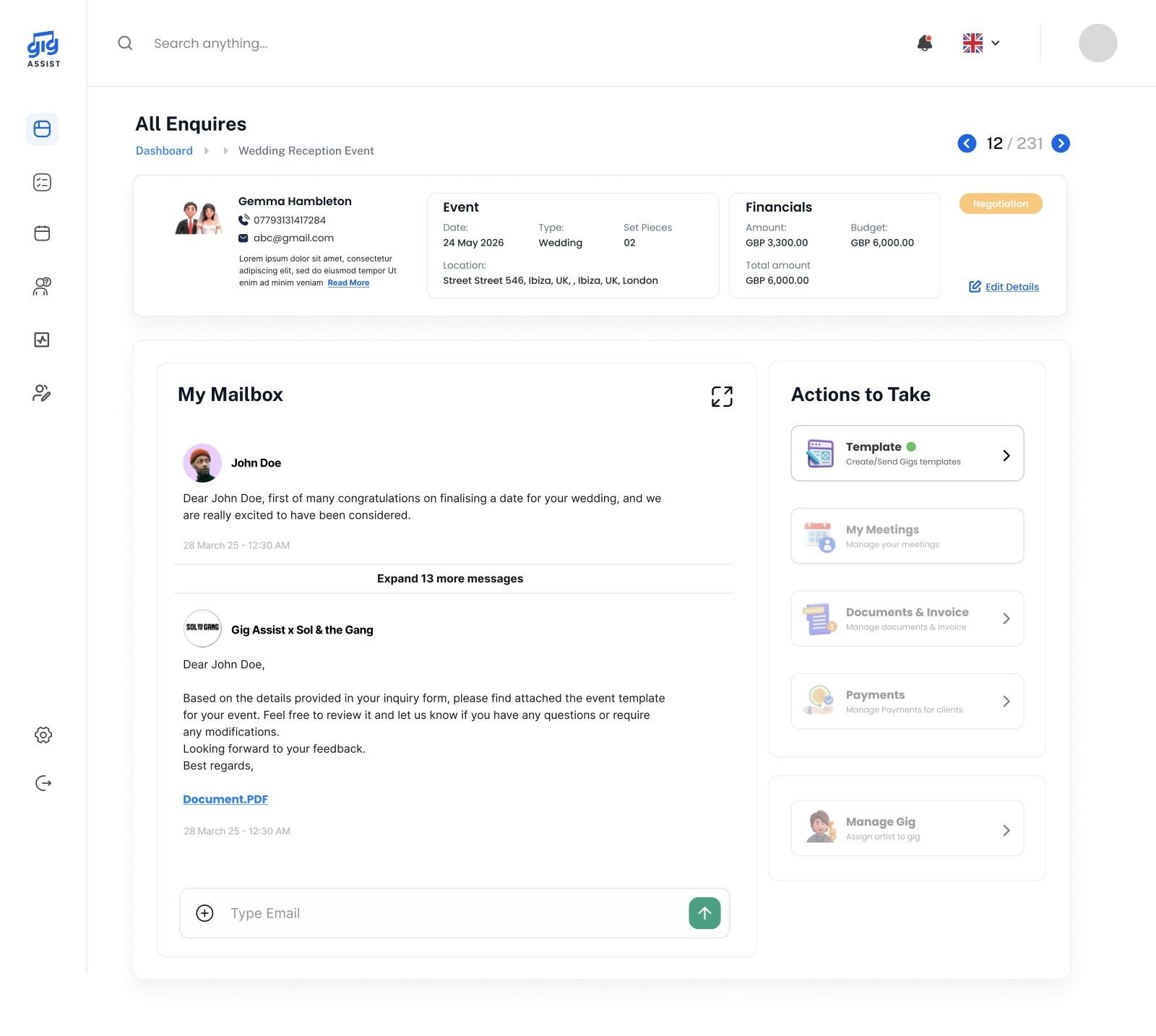
gig-assist.com/events/wedding-reception
Event workspace
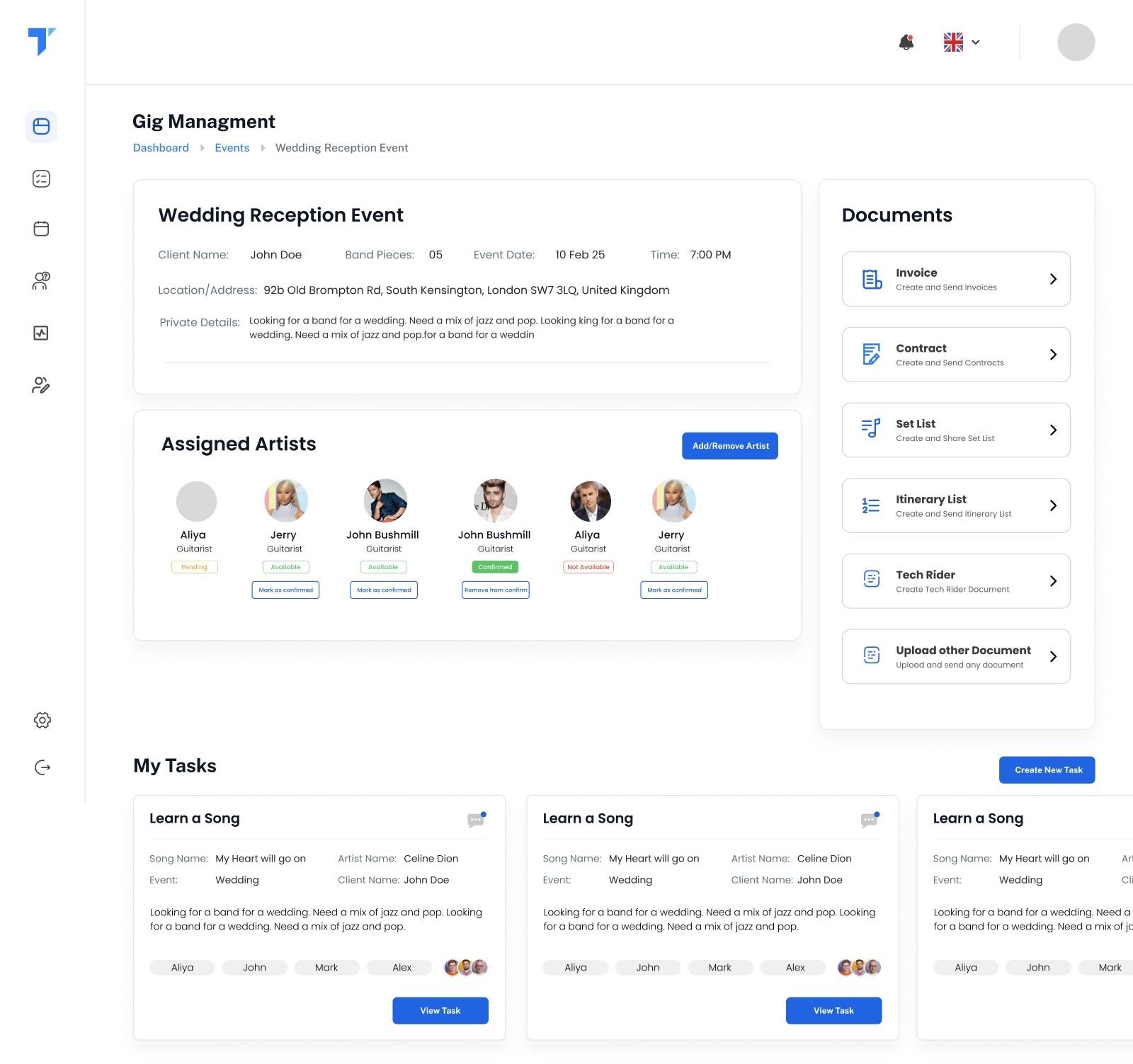
gig-assist.com/manage-gig
Gig management
New enquiry · Website Jerry confirmed via WhatsApp ✓
£1.38Min gigs delivered and tracked: 96 past events
£773Kbooked ahead and on the calendar: 53 upcoming events
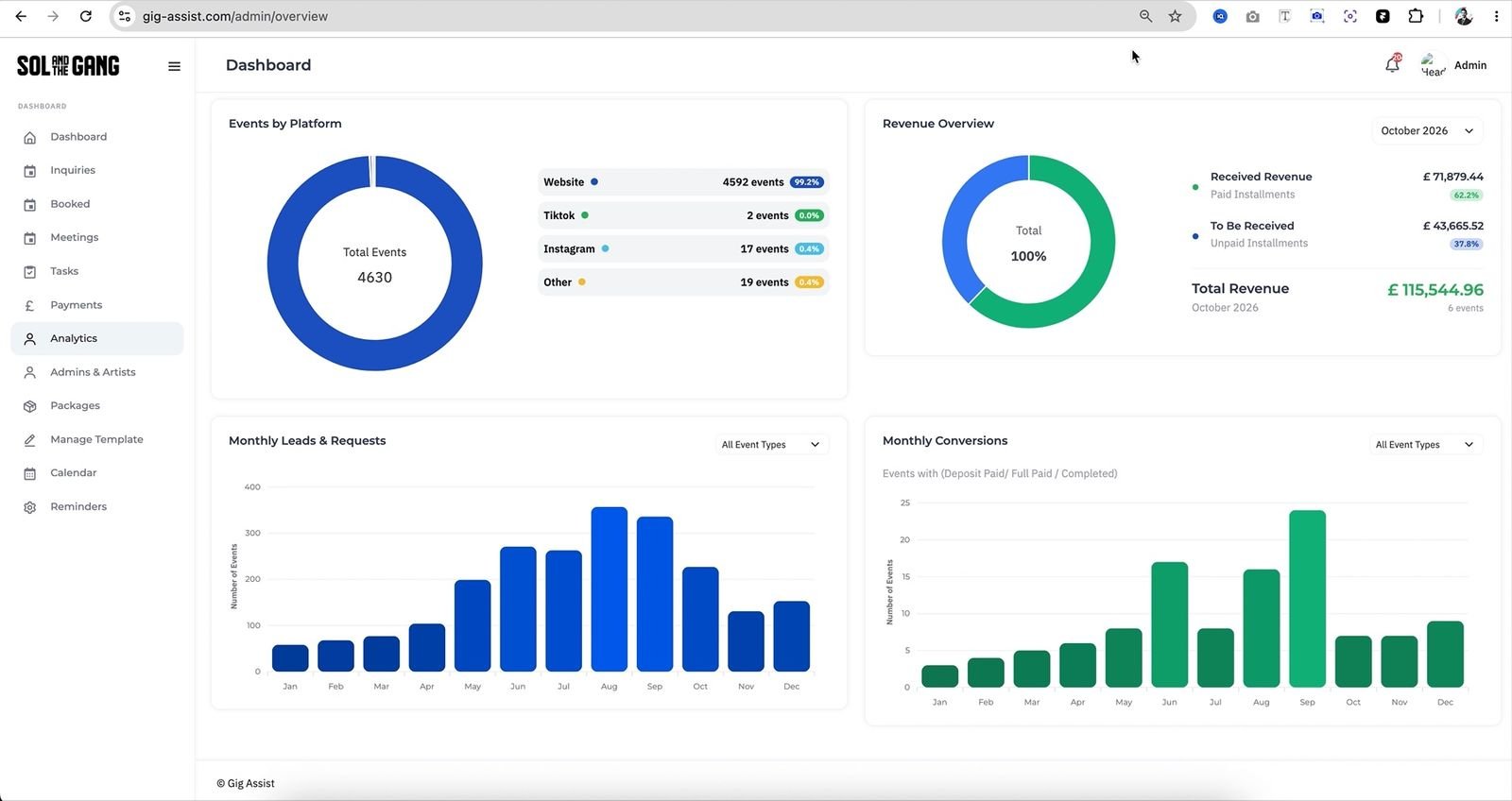
4,630enquiries captured and tracked by source
100%custom-built. No templates, no plugins, no off-the-shelf CRM

Figures from the live system’s Bookings and Analytics views, October 2026.

01The client

Sol & The Gang play the party. Someone has to run everything before it.

Sol & The Gang is a live music act playing weddings, birthdays, corporate parties and tours, from London to Bodrum to Monaco. Each show needs anything from 4 to 14 performers, a contract, a deposit, a setlist, travel and a plan. And every week, more enquiries arrive than one manager can comfortably hold in their head.

They didn’t need another generic CRM. They needed a system shaped exactly around how a band gets booked, prepared and paid. So we built one from scratch.

Instagram DM“How much for a wedding band?” bookings_FINAL_v3.xlsxRow 212: deposit ??? Invoice.docxCopied from last year’s template NotesSetlist: first dance, then 2 sets… CalendarTwo weddings. Same Saturday. GmailRe: Re: Re: contract attached itinerary.pdfFlight times “TBC”
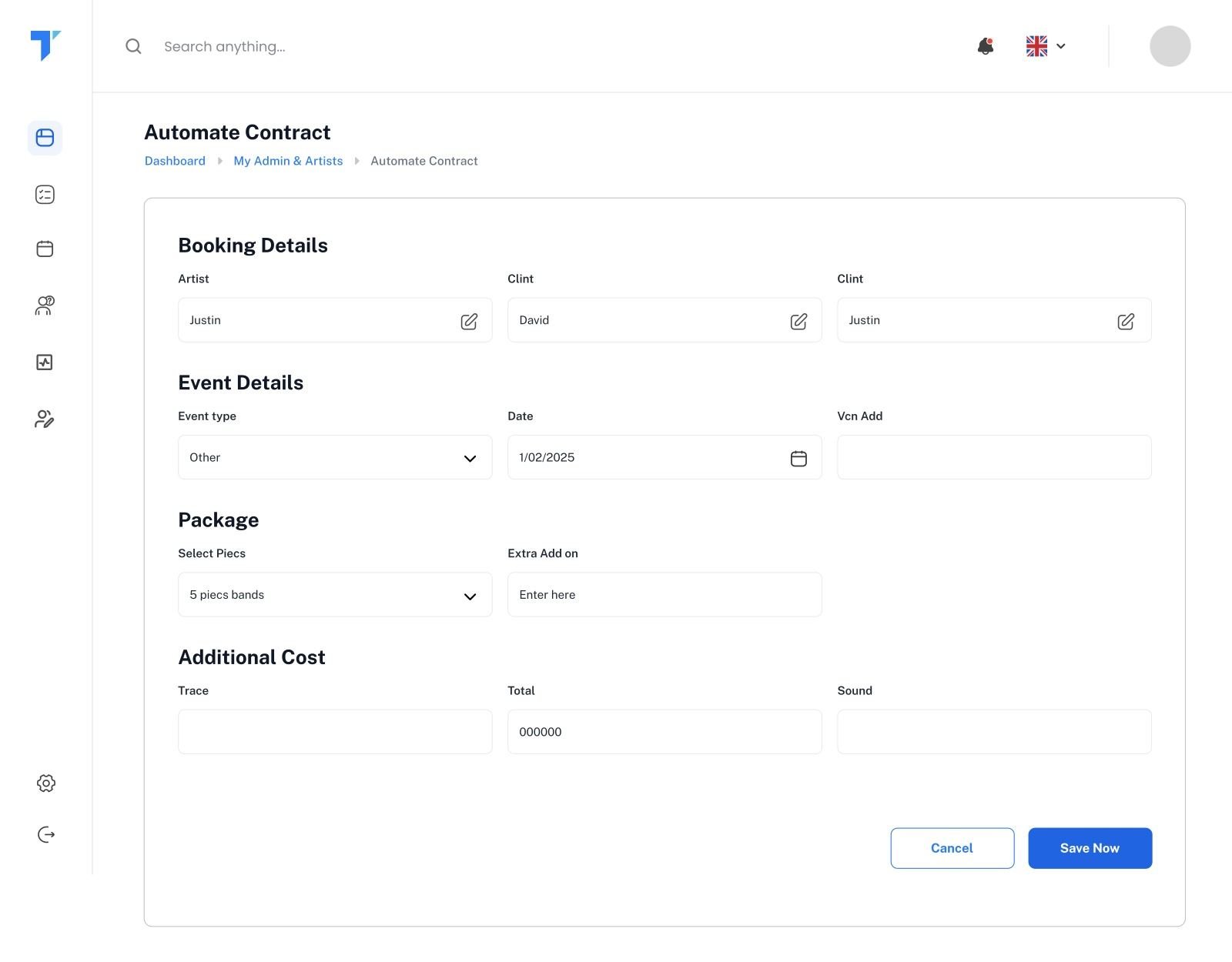
One event workspaceConversation · documents · payments · lineup · tasks

The design questionHow might a manager move from a single enquiry to a performance-ready gig, without ever losing the context of the booking?

02Problems I solved

Every feature started as a real problem. Here’s what I found, what I built and what changed.

Before designing anything, I sat with how the band actually worked day to day. These are the problems that kept coming up, and how the platform solves each one.

Problem

Artists don’t log into apps. Gig confirmations got lost in WhatsApp threads, and nobody knew who was actually coming.

What I built

Gig requests go out on WhatsApp. The artist taps Yes or No and the lineup updates itself. No reply? The request expires. Stuck artist? The manager confirms or declines from the system.

Impact

The lineup is always current, and the manager stops chasing people. Silence is flagged automatically instead of discovered on the day.
See it ↓
Problem

Client emails lived in personal inboxes. If the manager was away, nobody could see what had been promised.

What I built

Two-way email through Mailgun. Reply from Gig Assist or straight from Gmail, and every message lands in the event’s mailbox.

Impact

The full client history sits on the booking, so anyone on the team can pick it up. The manager still replies from wherever they are.

See it ↓
Problem

The same Saturday got requested twice, and nobody noticed until a quote had already gone out.

What I built

A double-booking indicator flags every enquiry that lands on a date that’s already requested or booked.

Impact

Clashes are visible before anyone says yes, not after two clients have paid deposits.

See it ↓
Problem

Once a gig was booked, managers still had to dig through hundreds of enquiries to find it.

What I built

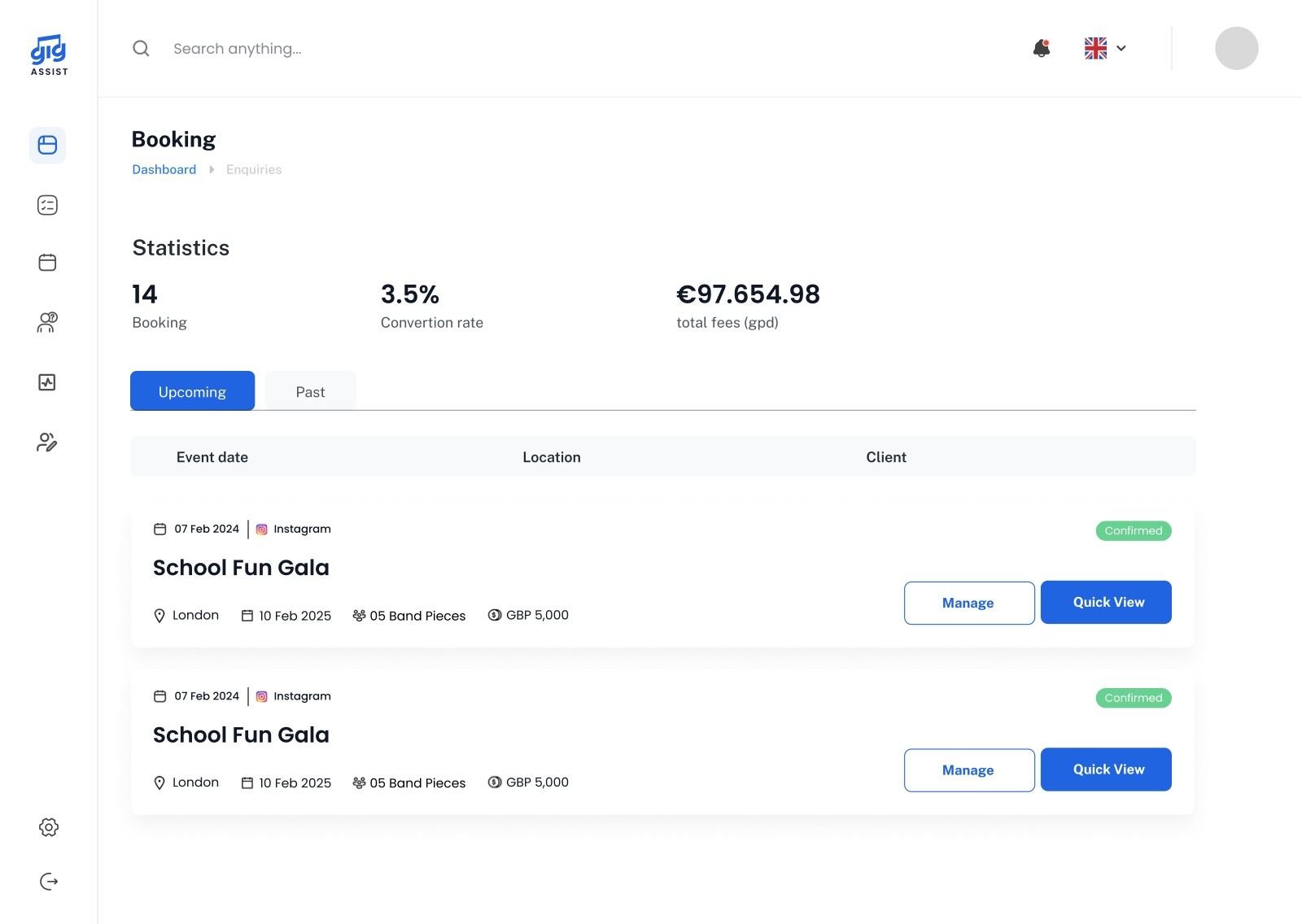
A separate Bookings view with only confirmed gigs, upcoming and past totals, and a Quick View for conversation, documents, payments and key notes.

Impact

149 confirmed gigs (53 upcoming, 96 past) and £2.16M in bookings, visible on one screen.

See it ↓
Problem

Setlists were retyped for every show: the same songs, the same medleys, the same artists.

What I built

A setlist that remembers. Songs and medleys are saved with their artist and come back as you type.

Impact

Building a set becomes picking, not typing, and the band gets consistent song details every time.

See it ↓
Problem

Itineraries were Word documents that took an evening, and every artist got a slightly different version.

What I built

A structured itinerary template: fill it in, preview the PDF, email it to the client and every confirmed artist.

Impact

One itinerary, one format, sent to everyone at once.

See it ↓
Problem

Balances, artist call times and feedback depended on the manager remembering to send a message.

What I built

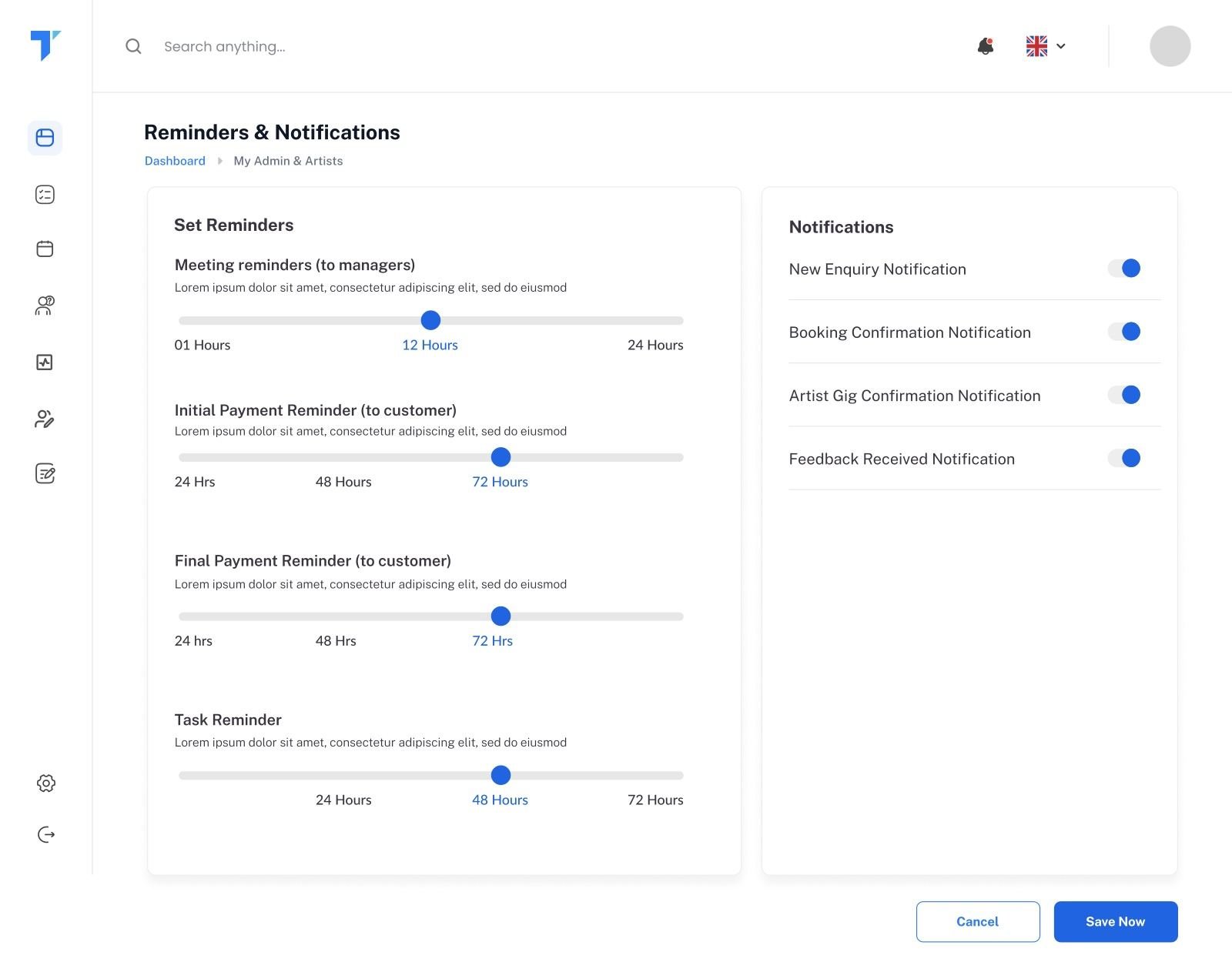
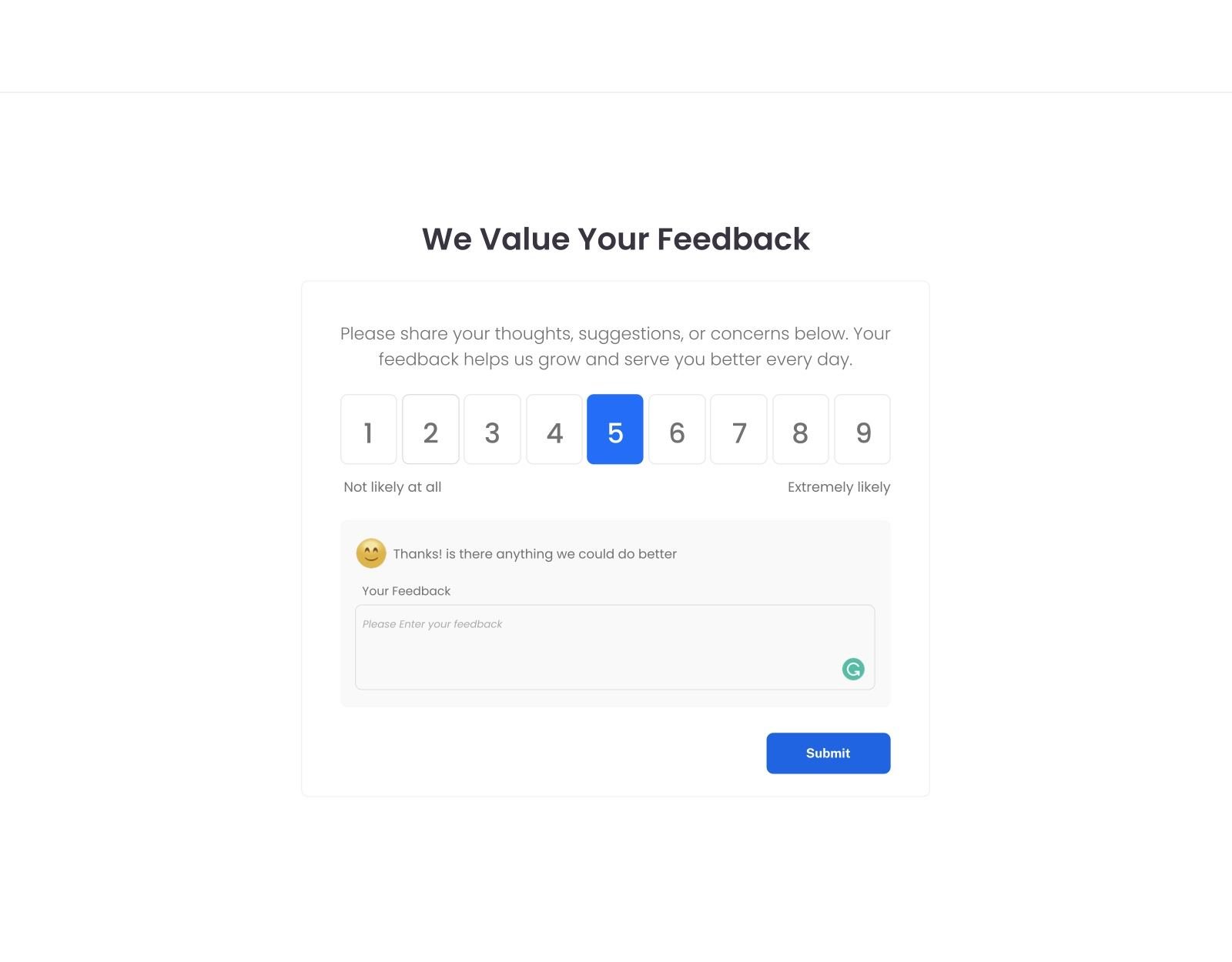
Configurable reminders: balance reminders to clients before the gig, gig reminders to artists, meeting reminders, and feedback after the show.

Impact

The follow-ups happen on time, every time, without anyone keeping a list.

See it ↓
Problem

Nobody knew which channels actually brought in work, or how much money was still to come.

What I built

Analytics for leads by source, monthly conversions, and revenue received versus outstanding.

Impact

4,630 enquiries tracked by source. The band can see the website brings in 99% of them, and exactly what’s still to be paid.

See it ↓
03My role

I wore every hat except the coder’s.

This wasn’t a hand-off project. I took Gig Assist from a client brief to a live product, and the role grew with it: designer first, then product manager, then the person who decided how the whole system fits together.

✏️01 · Design

Product Designer

  • Mapped the full gig journey, from enquiry to feedback
  • Designed 90+ screens and the component system behind them
  • Designed the hard states: double bookings, no replies, overdue instalments
  • Designed the artist experience across the dashboard and WhatsApp
🧭02 · Product

Product Manager

  • Turned the client’s brief into modules and a scoped backlog
  • Planned delivery in phases: enquiries first, then gig management
  • Prioritised what to ship, what to simplify and what to cut
  • Kept design and development moving together as needs changed
🧩03 · Architecture

Solution Architect

  • Designed the data model around one entity: the event
  • Defined roles and permissions for admins, managers and artists
  • Designed the WhatsApp, Mailgun and Gmail sync flows
  • Set the stack: Laravel, MySQL and a component-based frontend
⌨️04 · Engineering

Sharjeel, Developer

Sharjeel built it. I designed what to build and how it should behave; he turned it into a working platform, module by module.

Credit where it’s due 🙌
04The journey

From “are you free?” to the encore. Five stages, one record.

I designed the product around the life of a single gig. Scroll through it.

01 · Enquire

Every lead lands in one pipeline.

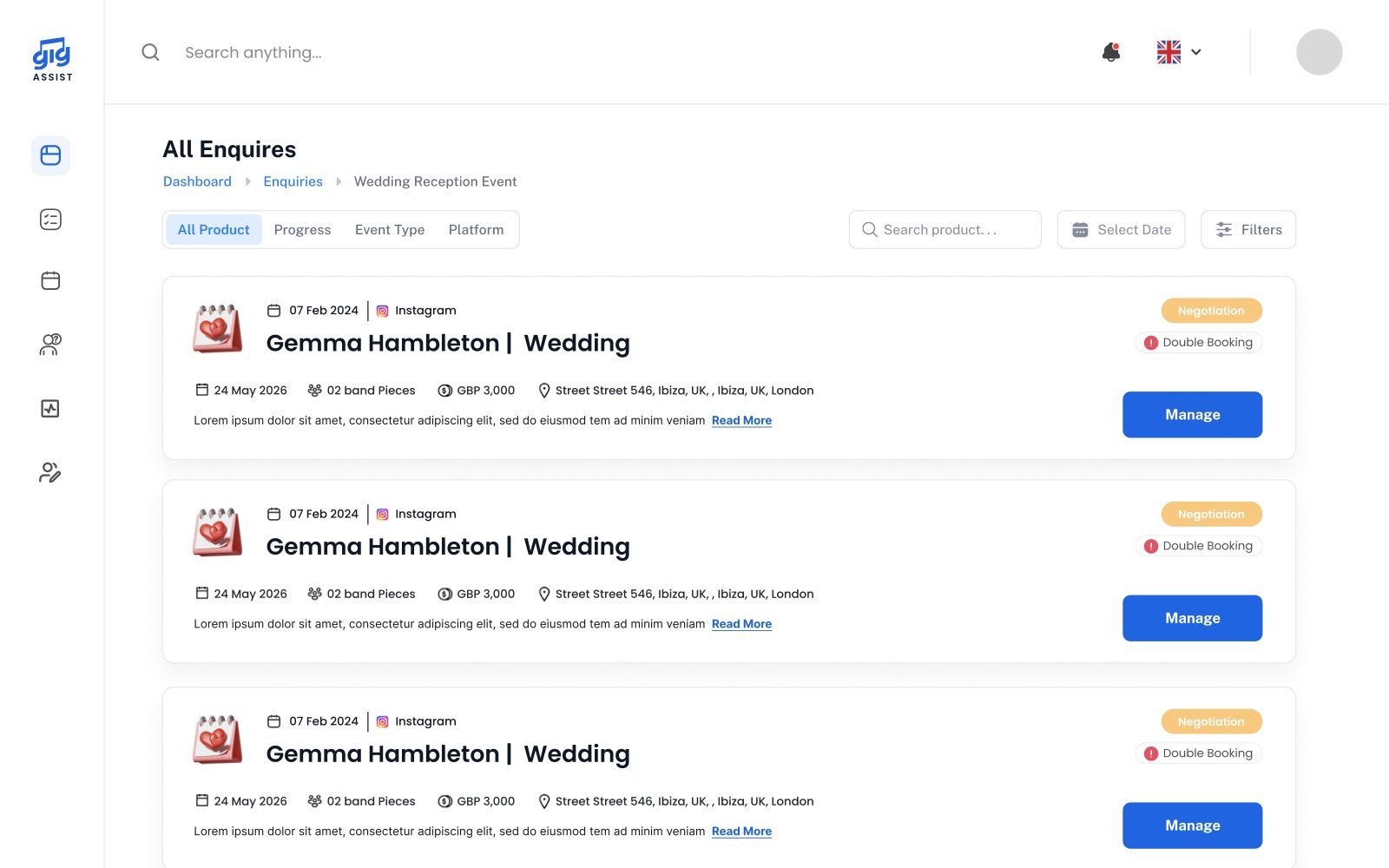
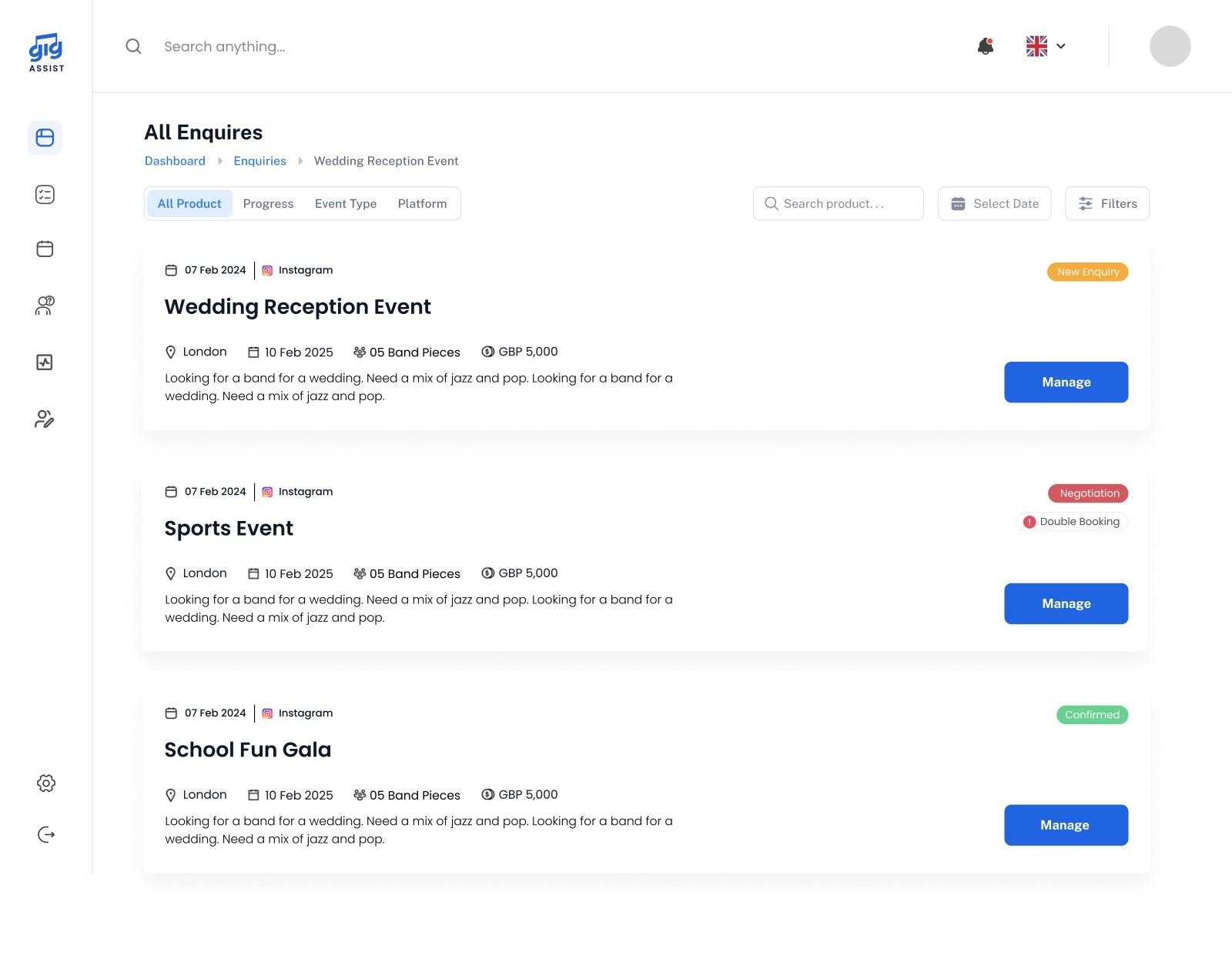
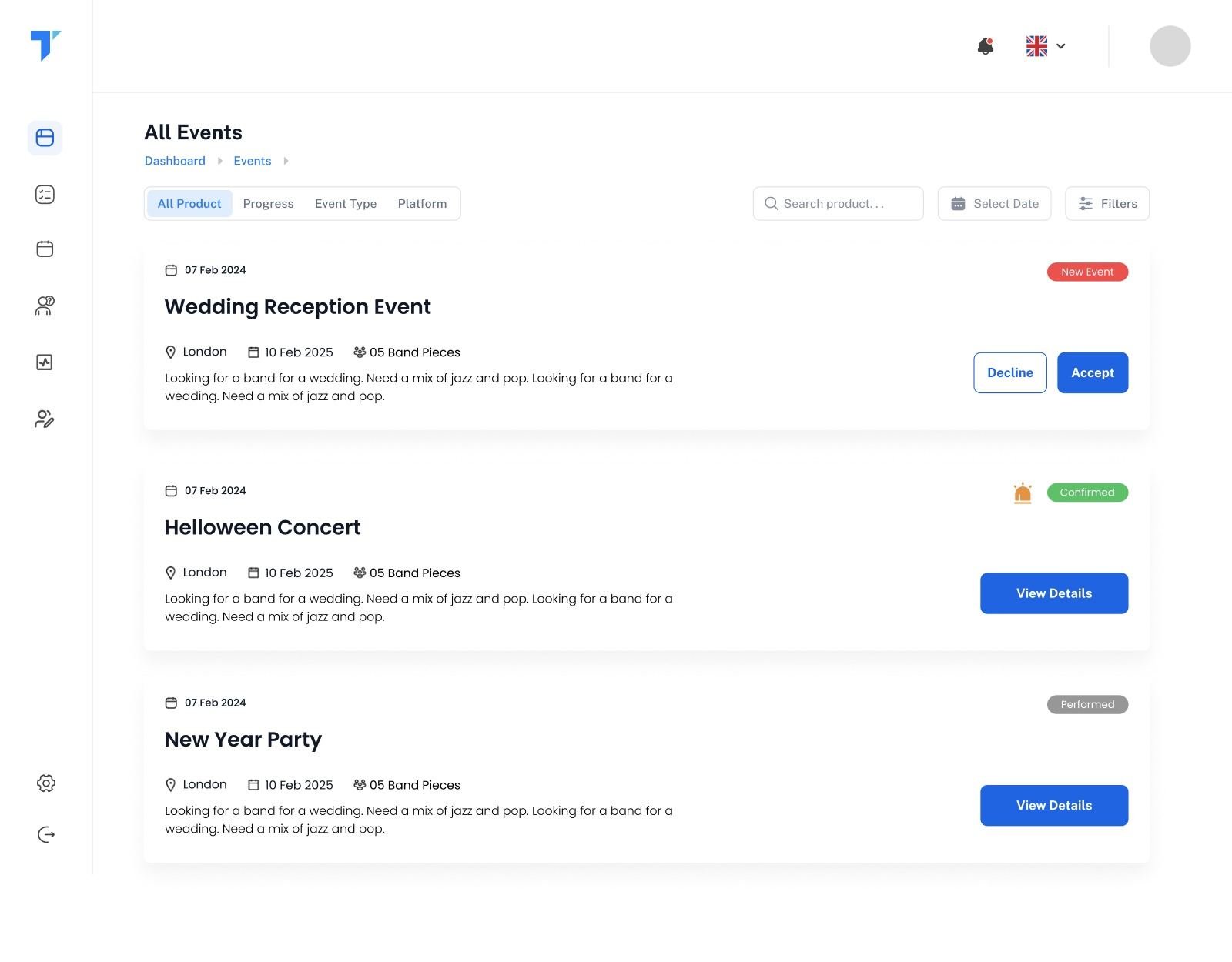
Enquiries arrive from the website, Instagram, TikTok and referrals. Each one becomes a card with date, venue, budget, band size and status (new, no reply yet, negotiation), with a double-booking indicator before anyone says yes.

Enquiry pipeline · source tracking · double-booking indicator
02 · Book

The conversation sits beside the work.

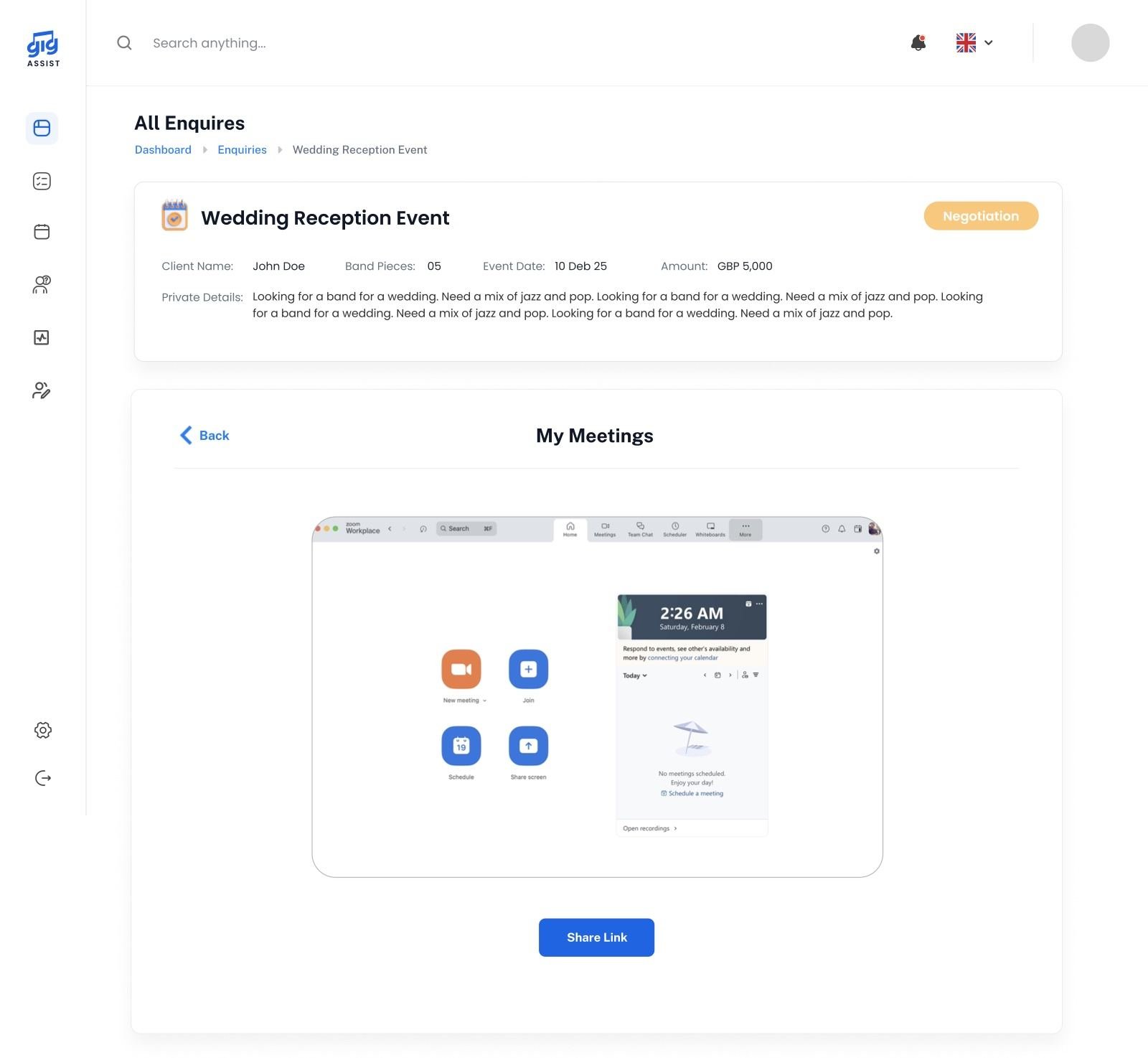
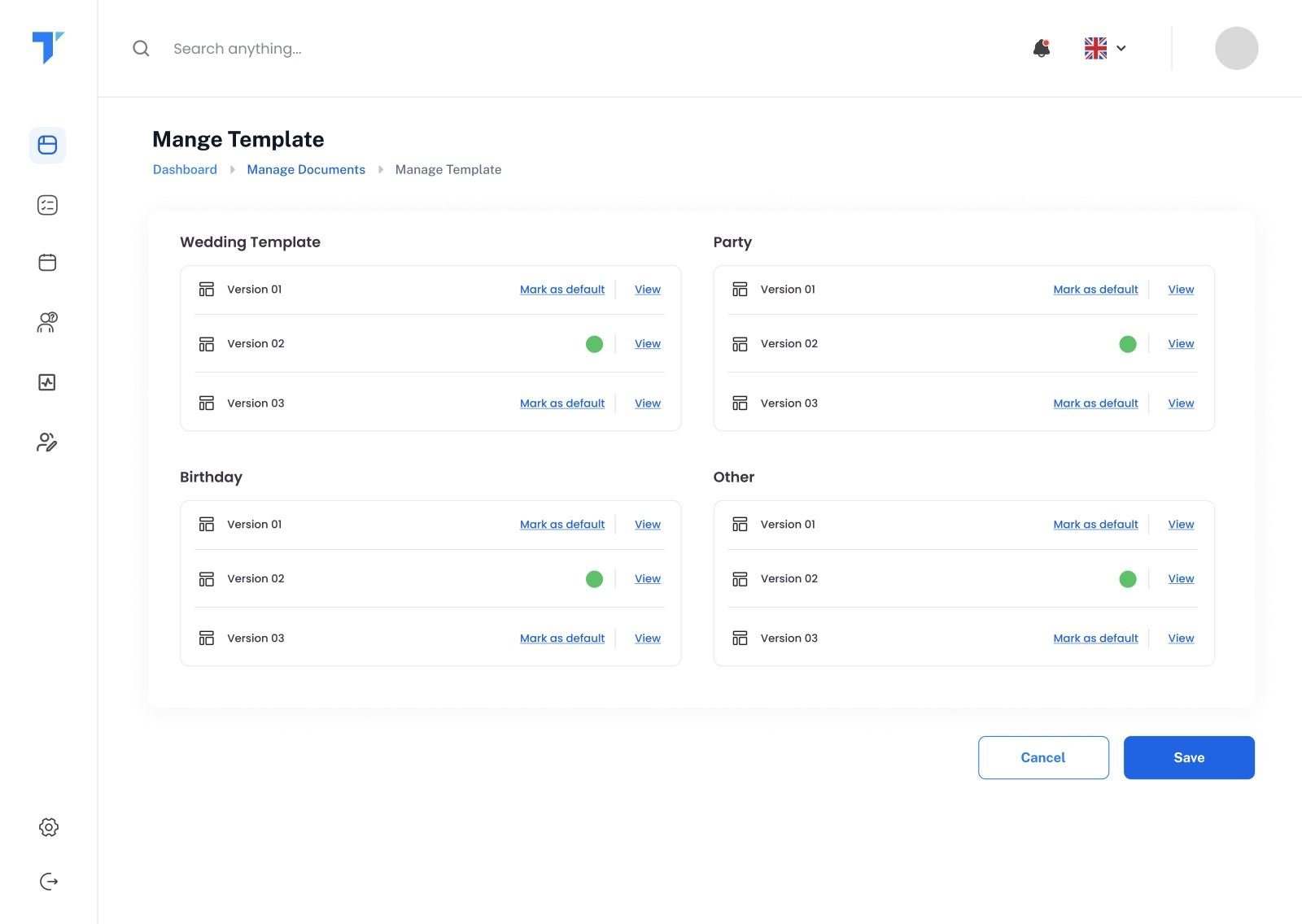
Open an enquiry and the client’s email thread sits next to an Actions to Take panel: send a gig template (auto-sent on new enquiries), set up a meeting, prepare documents, track payments or manage the gig.

Event workspace · two-way email · templates · meetings
03 · Paperwork

Money is part of the booking, not a side quest.

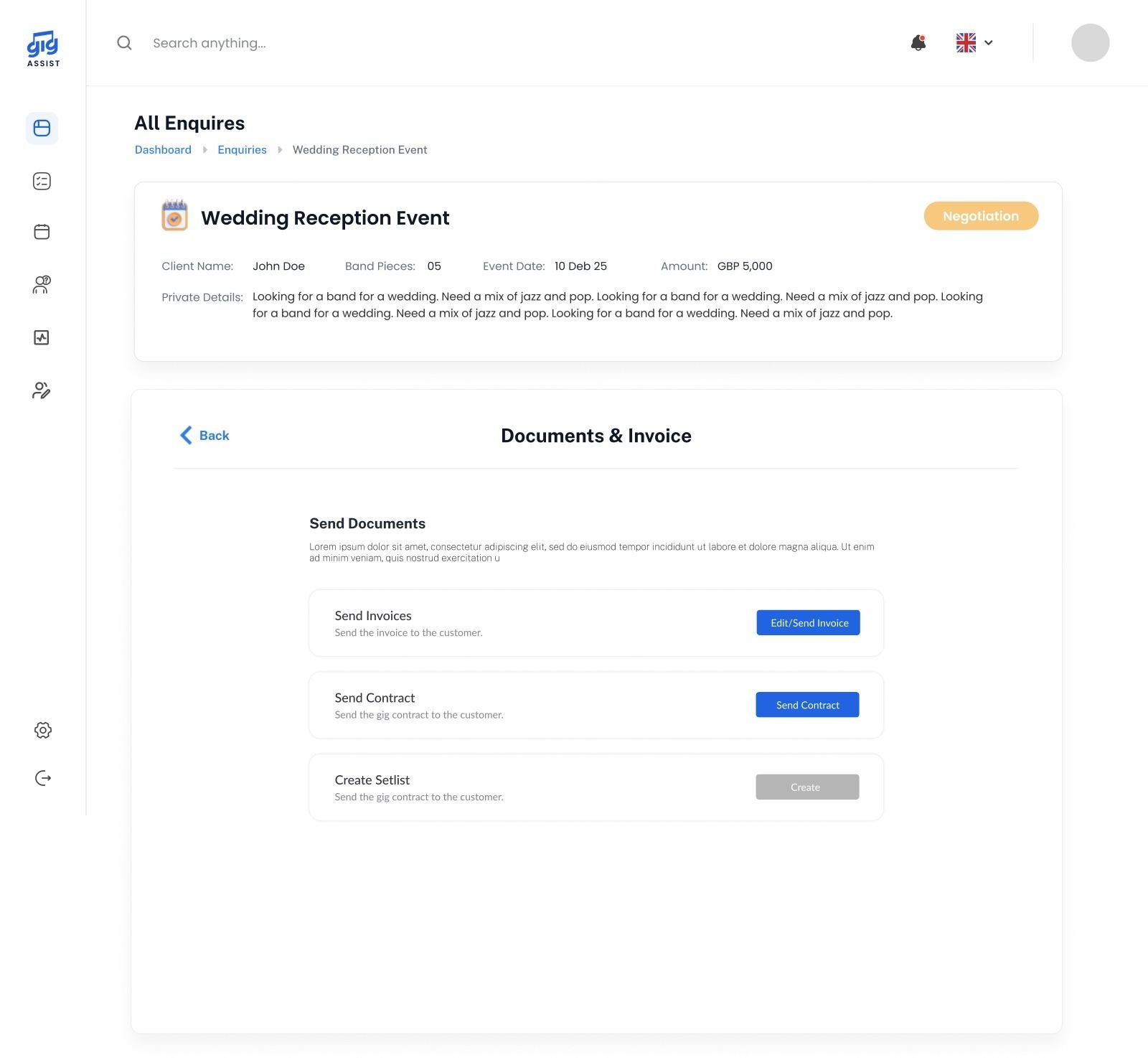
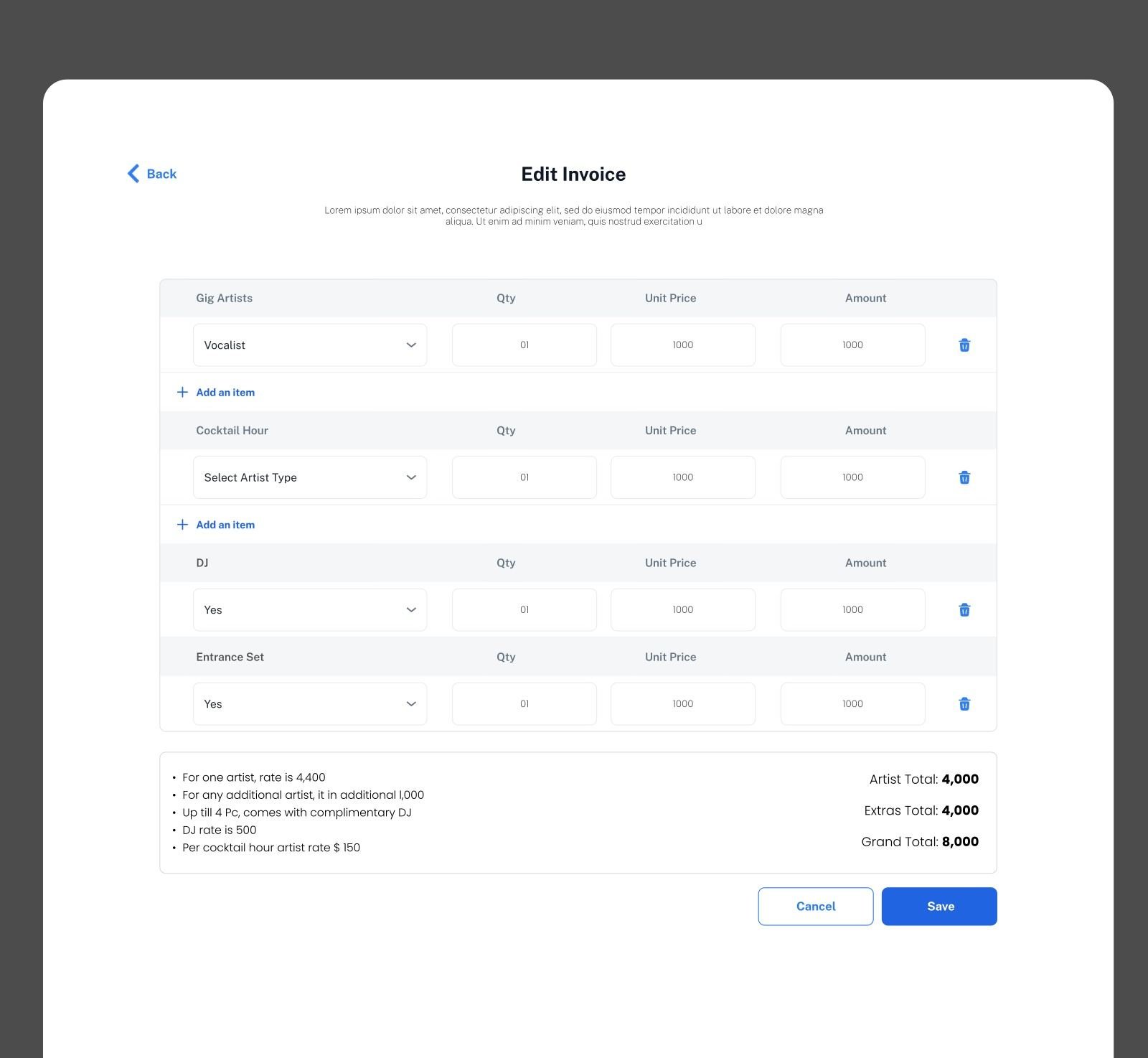
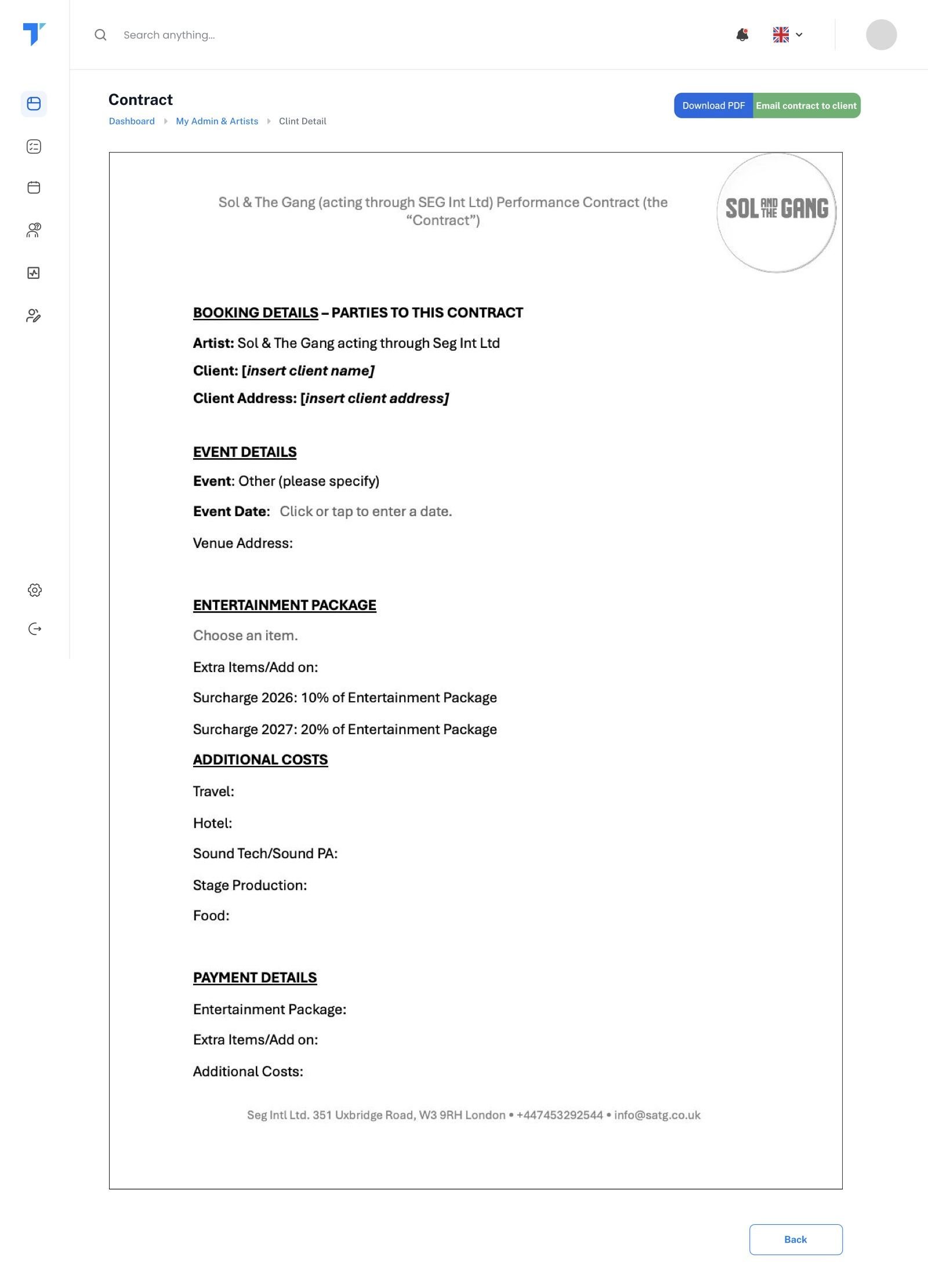
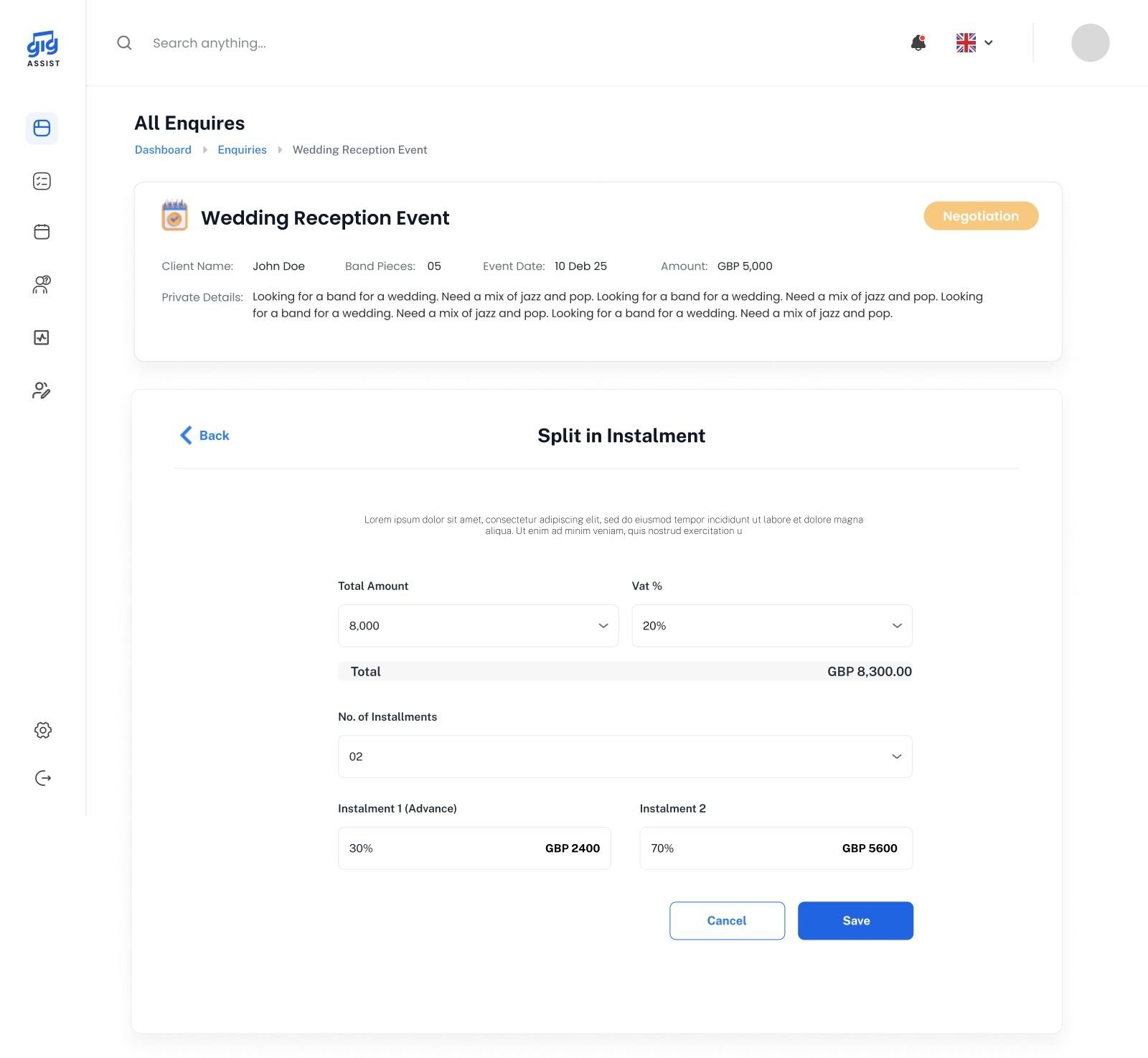
Invoices are built from the booking, then split into instalments with due dates. Contracts and tech riders come from templates, and every document stays attached to the gig.

Invoices · instalments · contracts · tech rider
04 · Prepare

From a booking to a band that’s ready.

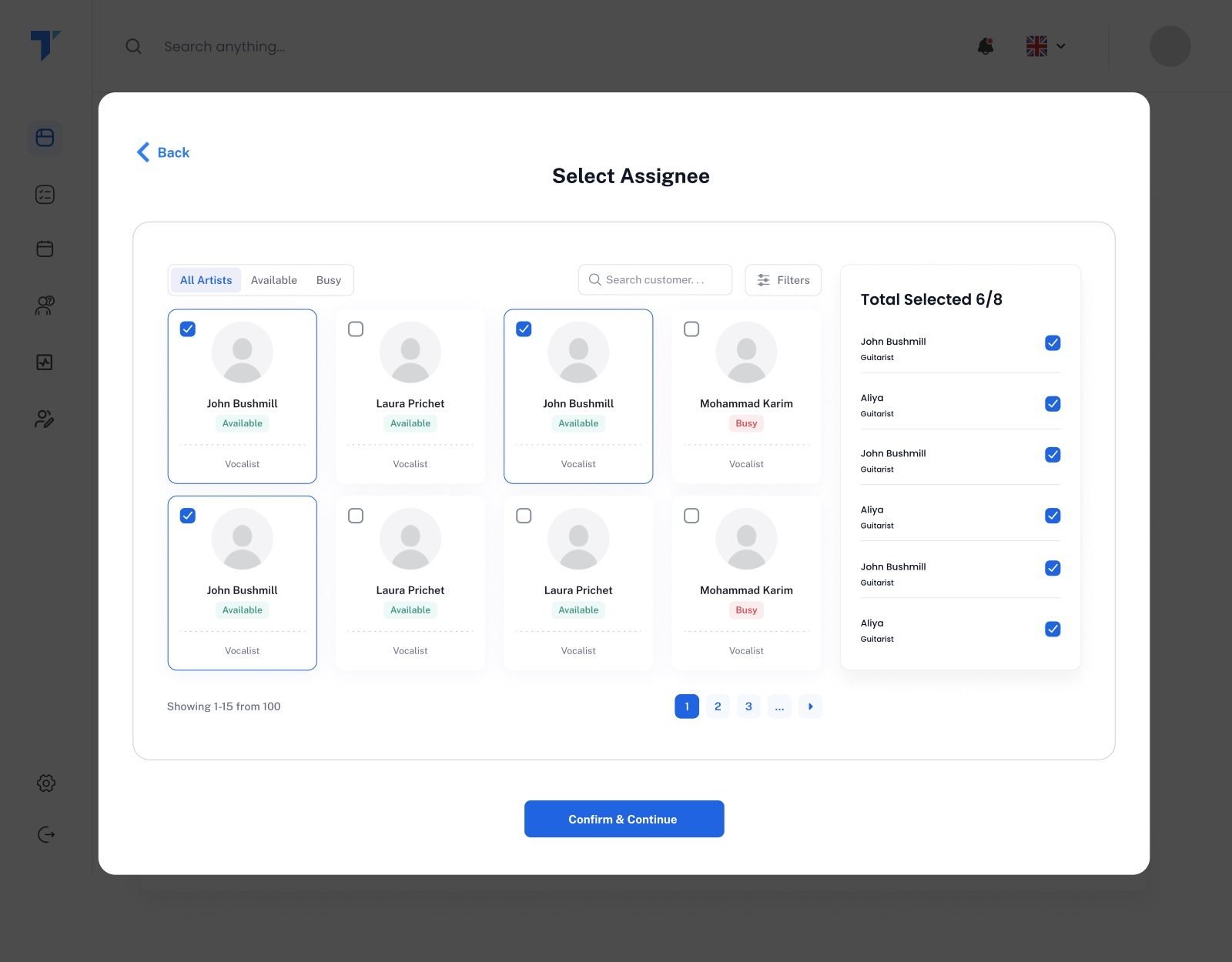
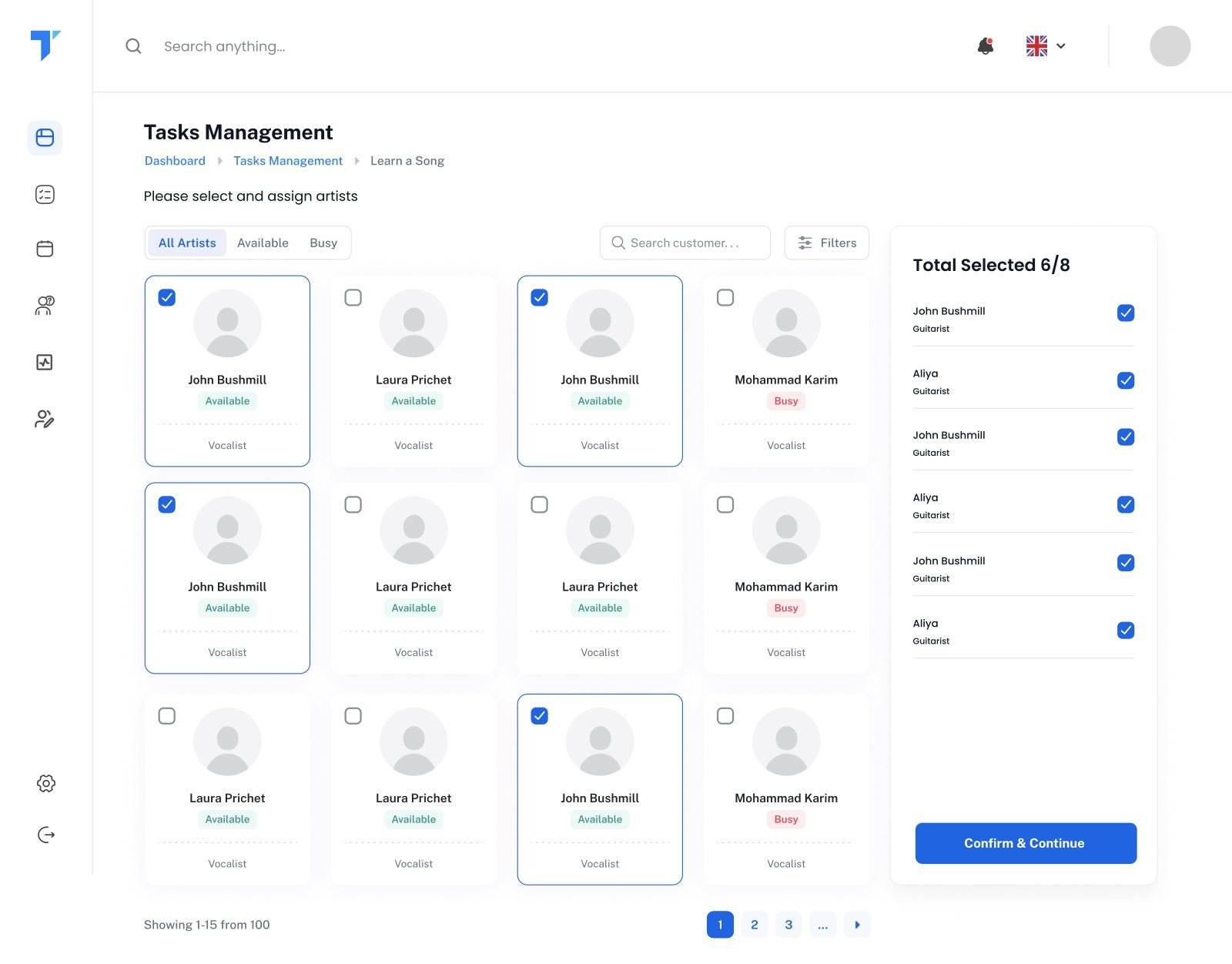
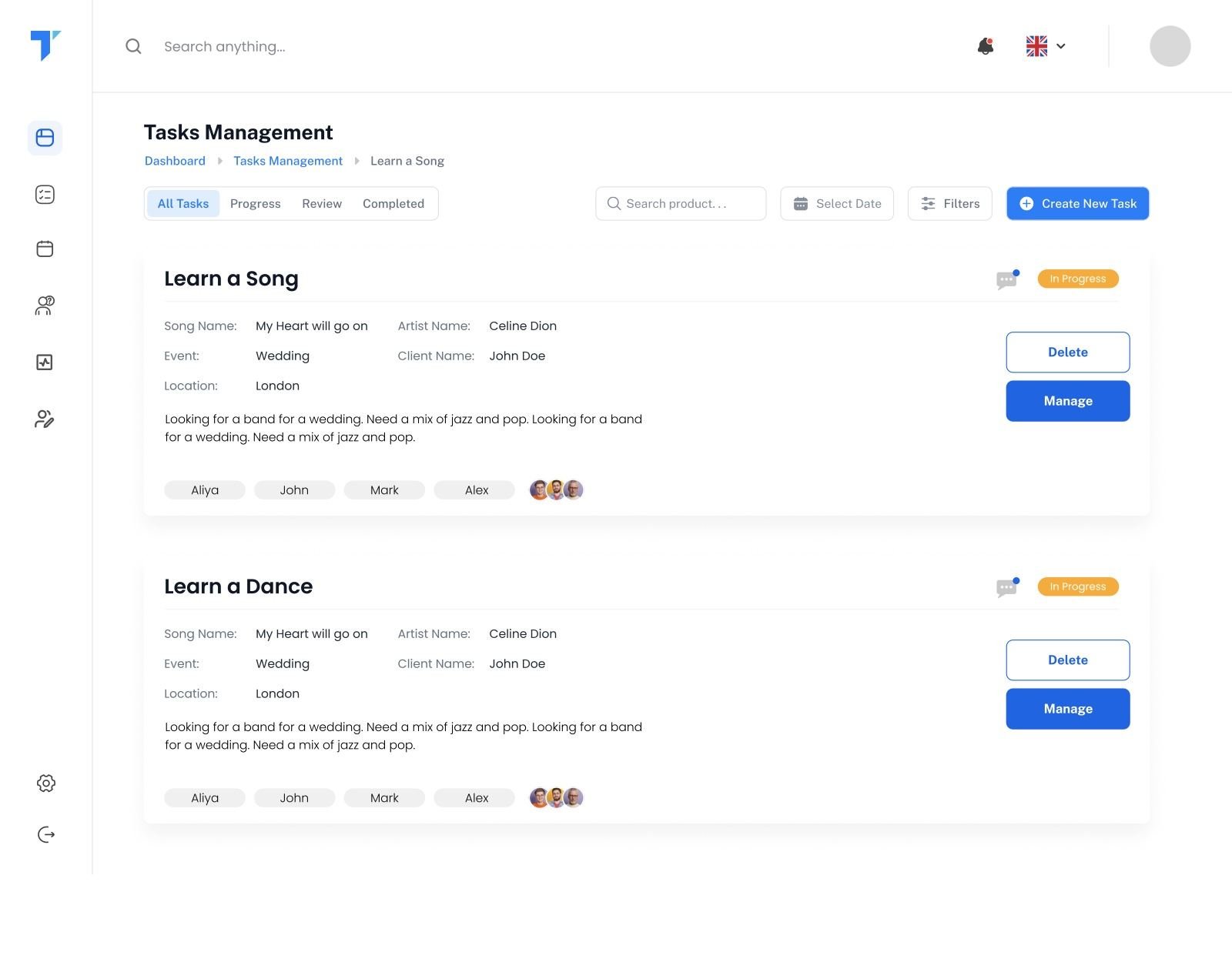
Pick the lineup from artist cards showing role and availability. Artists confirm on WhatsApp. Then the setlist, itinerary and tasks like “learn this song” are all prepared against the same event.

Lineup · WhatsApp confirmation · setlist · itinerary · tasks
05 · Review

Close the loop, then learn from it.

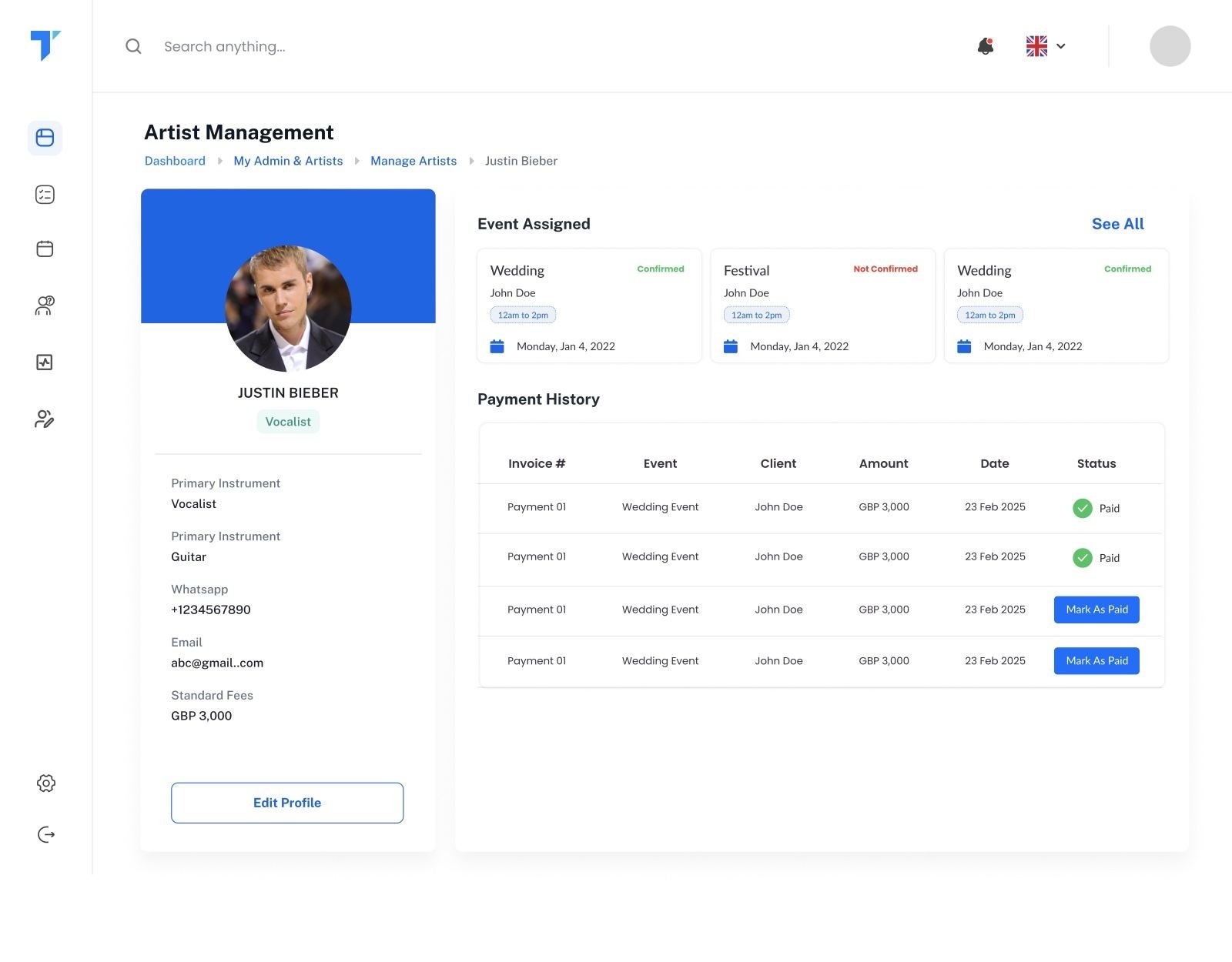
Client and artist payments are tracked separately. After the gig the client is asked for feedback, and analytics show where leads come from, how many convert, and revenue received versus still to come.

Payments · feedback · analytics
gig-assist.com/enquiries
Enquiry pipeline Event workspace Split in instalments Gig management Analytics, live
05Use cases

The moments that make or break a gig. Play with them.

These are the flows I spent the most thought on. Each one is a small working model of how the real system behaves.

01
WhatsApp automation

Artists confirm gigs without opening the platform.

The manager sends a gig request. The artist answers Yes or No on WhatsApp, and the lineup updates itself. If they don’t answer in time, the request expires and the manager knows to look elsewhere. And if an artist is stuck on a plane, the manager can confirm or decline for them from the system.

Manager sends requestWhatsApp to artistYes / NoSystem updatesNo reply → timer expiresManual override
gig-assist.com/manage-gig/artists
Pick the lineup: every artist shows role and availability before you choose.
gig-assist.com/manage-gig
Each artist shows Pending, Confirmed or Not available, updated from their WhatsApp reply. “Mark as confirmed” is the manager’s manual override.

Pick the lineup: every artist shows role and availability before you choose.

Each artist shows Pending, Confirmed or Not available, updated from their WhatsApp reply. “Mark as confirmed” is the manager’s manual override.

02
Two-way email · Mailgun + Gmail

One conversation, wherever the manager replies from.

Managers live in their inbox, and they’re not always logged in. So email runs through Mailgun: the manager can reply to a client from Gig Assist or straight from their own Gmail, and every message, sent or received, shows up in the event’s mailbox. Nothing gets lost in someone’s personal inbox.

Client · Gmail
Mailgun
Gig Assist · event mailbox
03
Bookings & Quick View

Once it’s booked, everything about it is one click away.

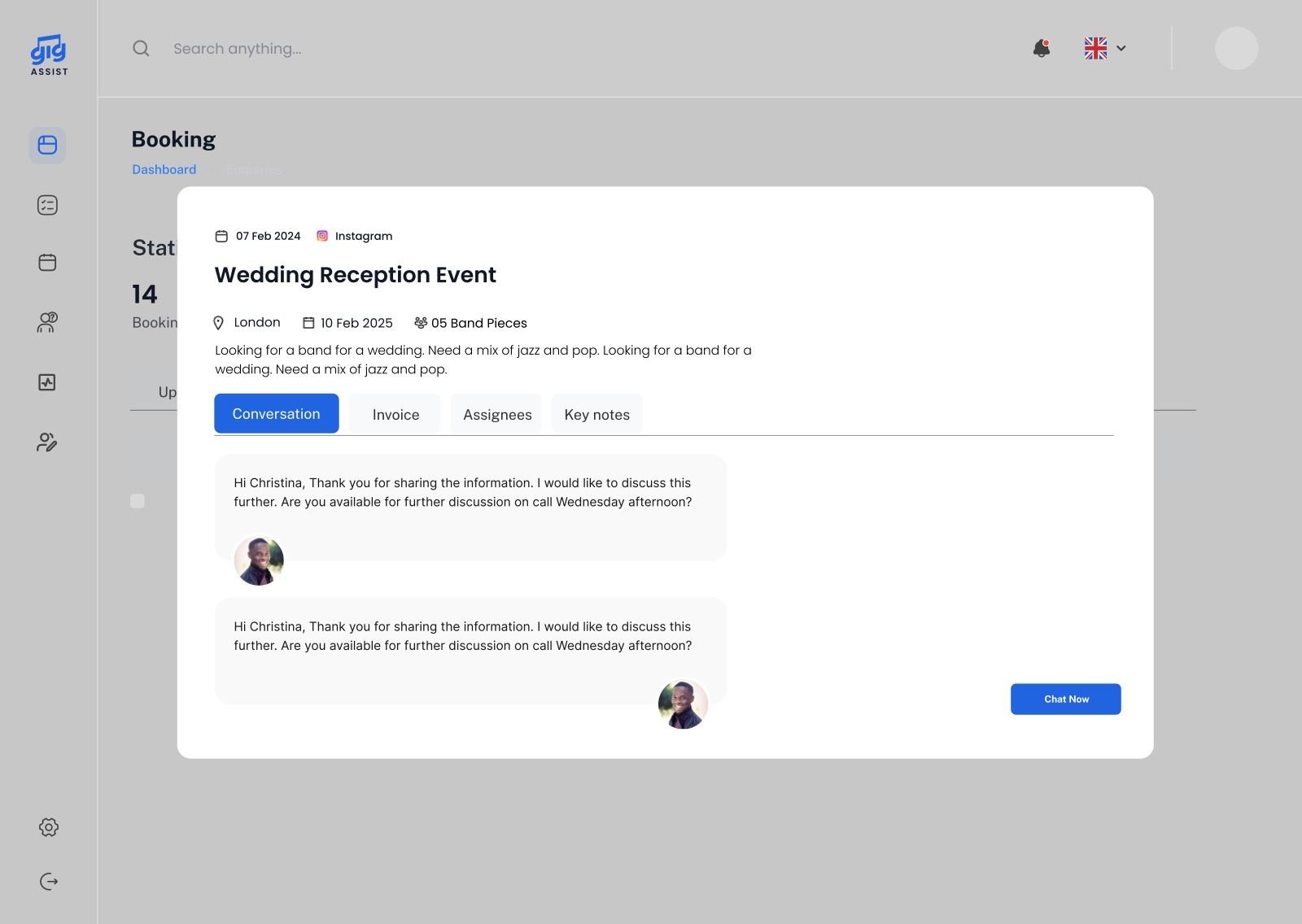
I separated confirmed gigs from enquiries. Bookings shows only what’s happening, upcoming or past, with revenue totals at the top. A Quick View opens the conversation, documents, payments and the manager’s key notes, like “bride wants an acoustic first dance”, without leaving the list.

Live right now53 upcoming · £773,460.6896 past · £1,383,782.01
gig-assist.com/booked
Bookings shows only confirmed gigs, upcoming or past, with totals at the top.
gig-assist.com/booked · quick view
Quick View · Conversation: the full client thread, without leaving the list.
gig-assist.com/booked · quick view
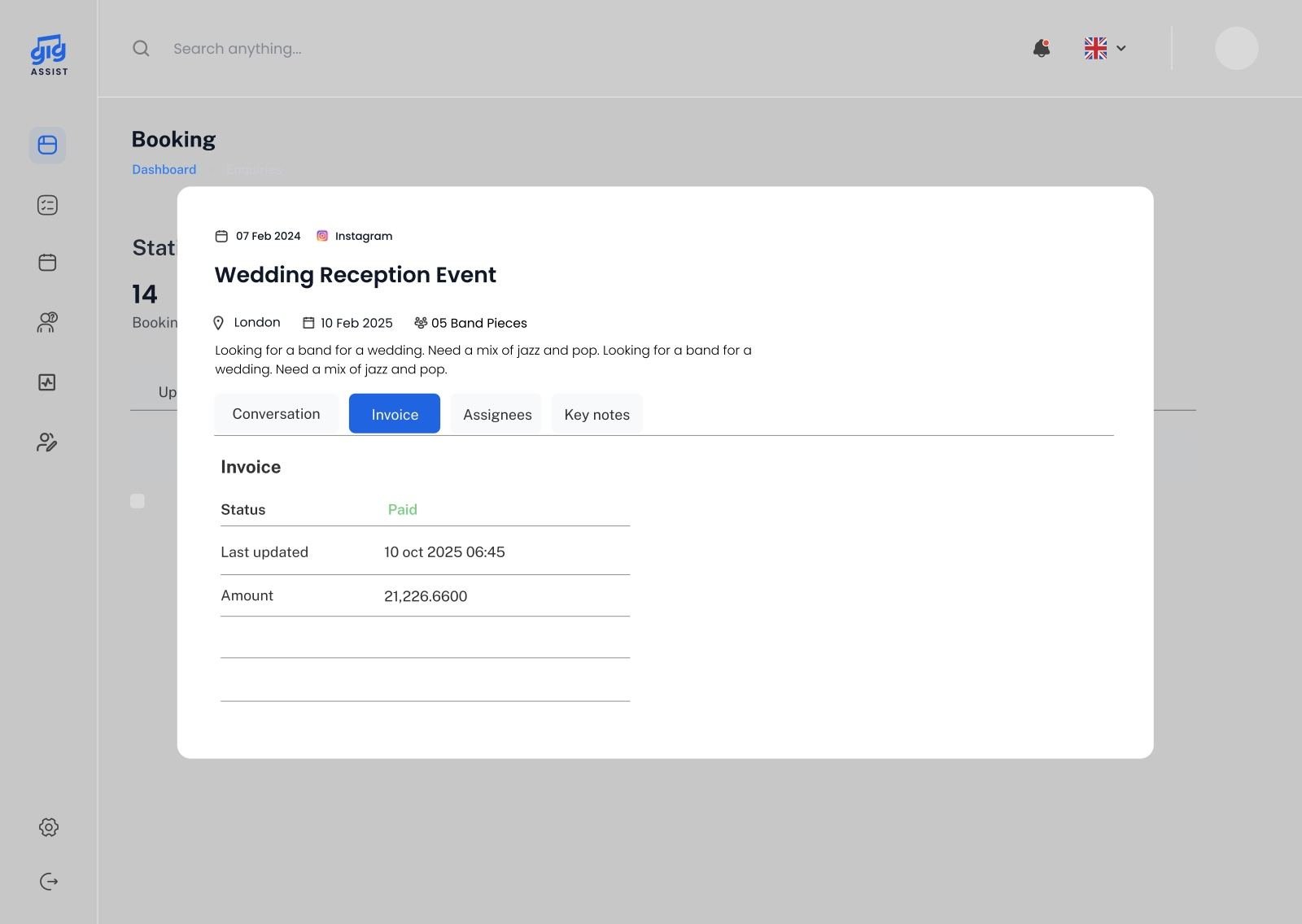
Quick View · Invoice: status, amounts and the latest update.
gig-assist.com/booked · quick view
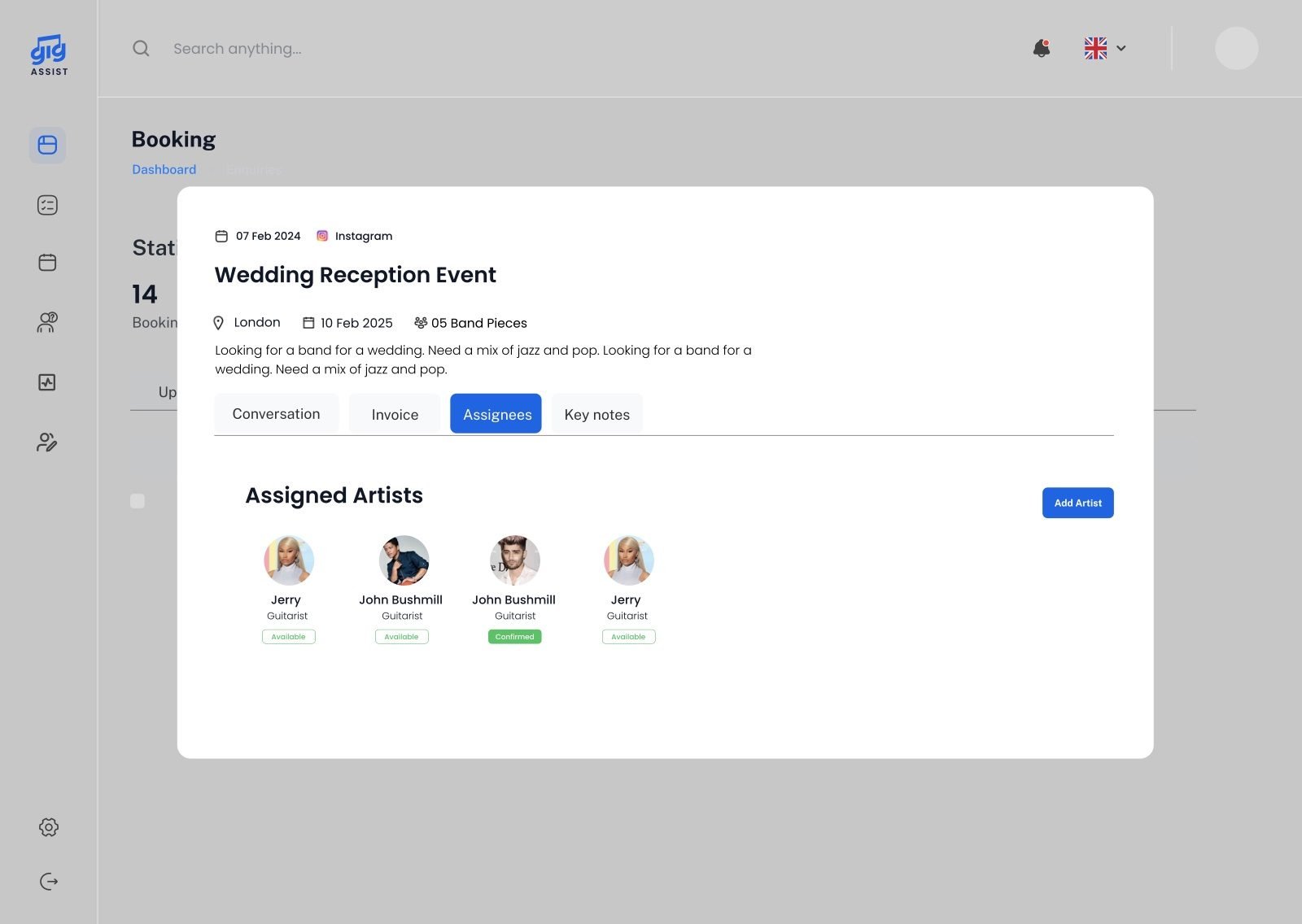
Quick View · Assignees: who’s playing and who has confirmed.
gig-assist.com/booked · quick view
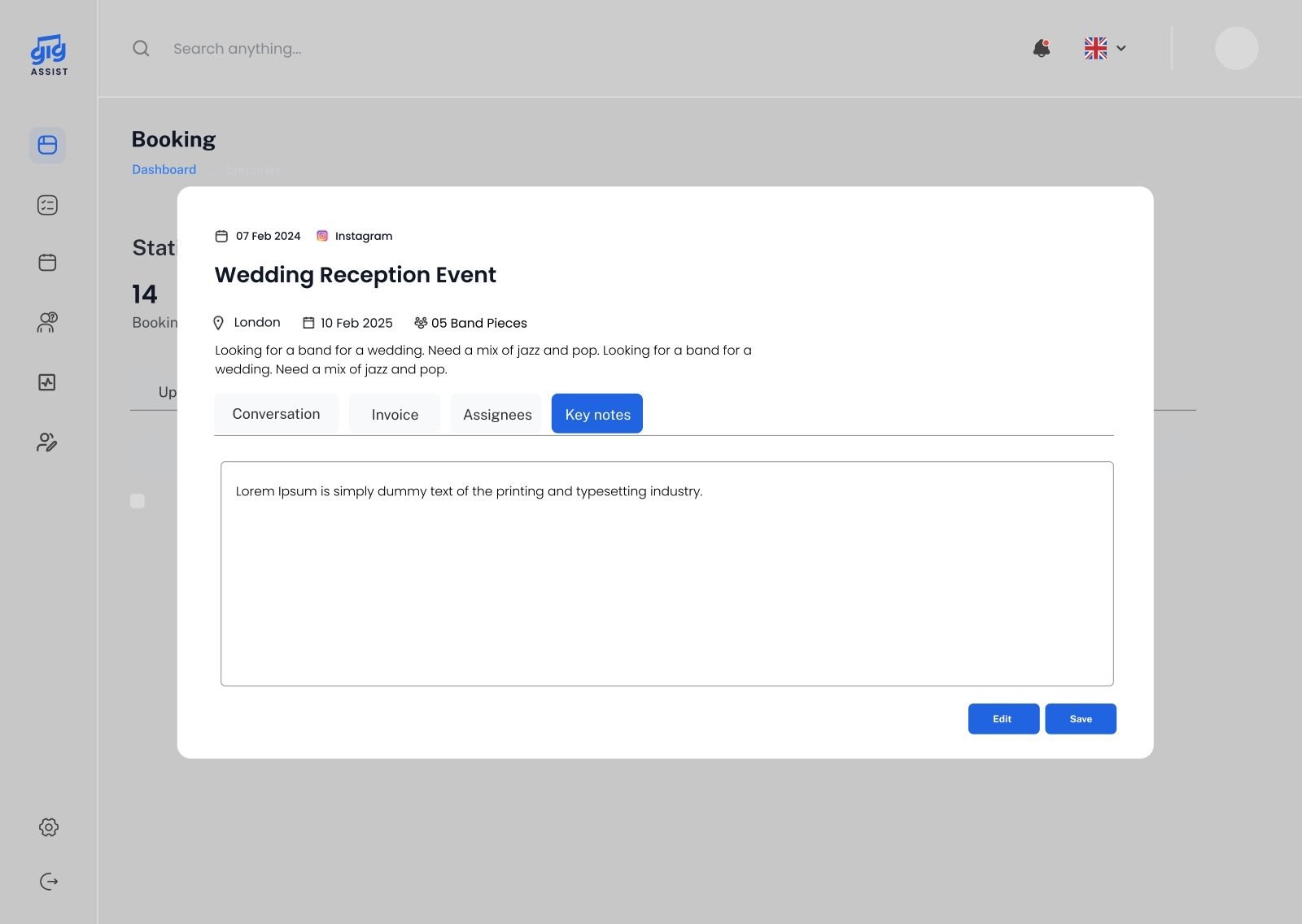
Quick View · Key notes: the manager’s notes, like a client’s special request.

Bookings shows only confirmed gigs, upcoming or past, with totals at the top.

Quick View · Conversation: the full client thread, without leaving the list.

Quick View · Invoice: status, amounts and the latest update.

Quick View · Assignees: who’s playing and who has confirmed.

Quick View · Key notes: the manager’s notes, like a client’s special request.

04
Setlist memory

Never type the same song twice.

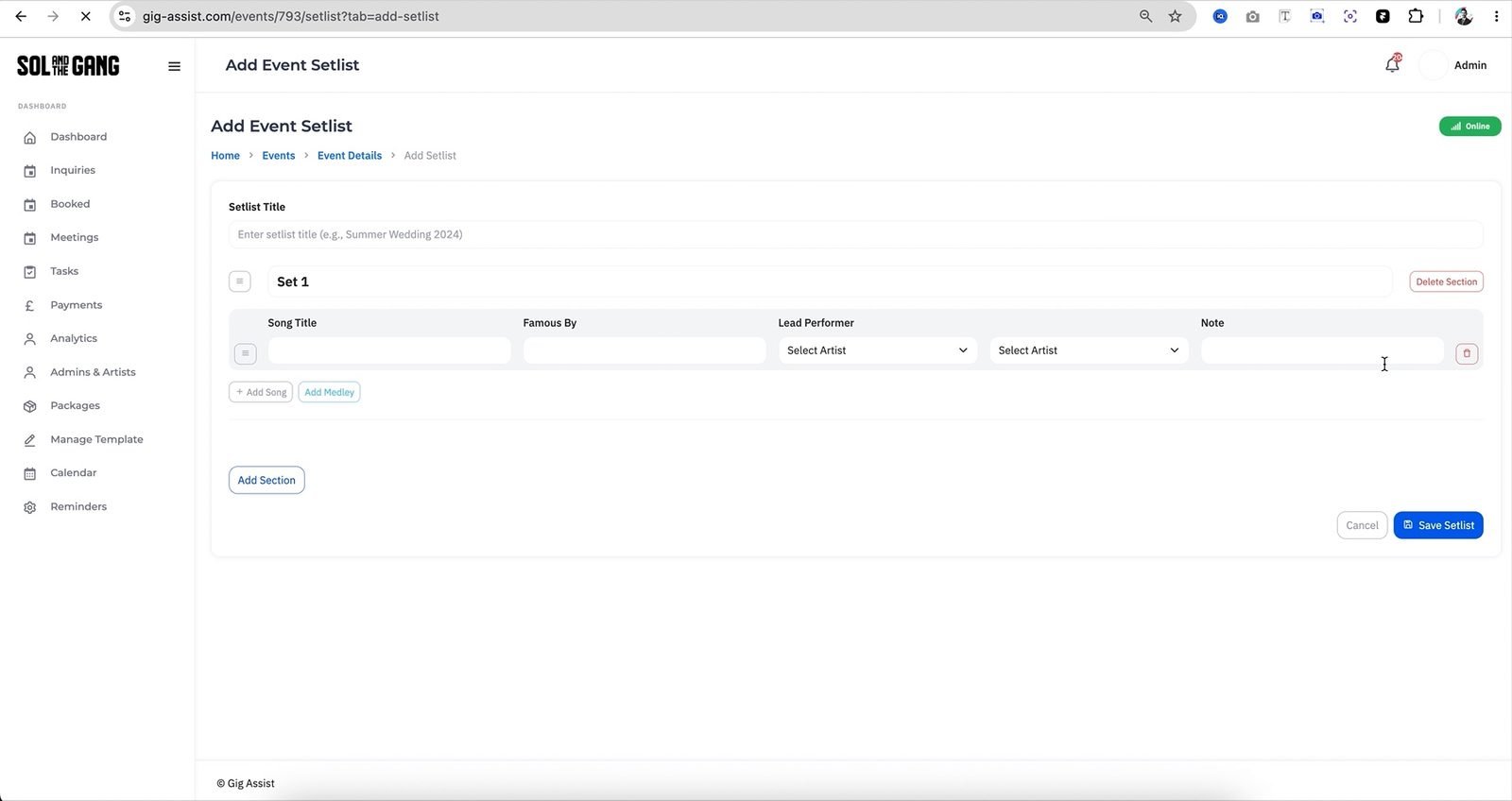
Every song and medley the manager adds is saved with its artist. Next time, start typing and the old entry comes back, ready to drop in.

gig-assist.com/events/setlist
Live: the setlist builder. Song title, famous by, lead performer and notes, with sections and medleys.

Live: songs and medleys are saved with their artist, so they come back when you start typing.

05
Double-booking indicator

Two clients, one Saturday. Caught early.

When a new enquiry lands on a date that’s already requested or booked, both cards are flagged, so the manager decides before promising anything.

gig-assist.com/enquiries
Enquiries on the same date carry a red “Double booking” indicator.

Look for the red “Double booking” tag on each enquiry card.

06
Itinerary template

Type it once. Everyone gets a proper itinerary.

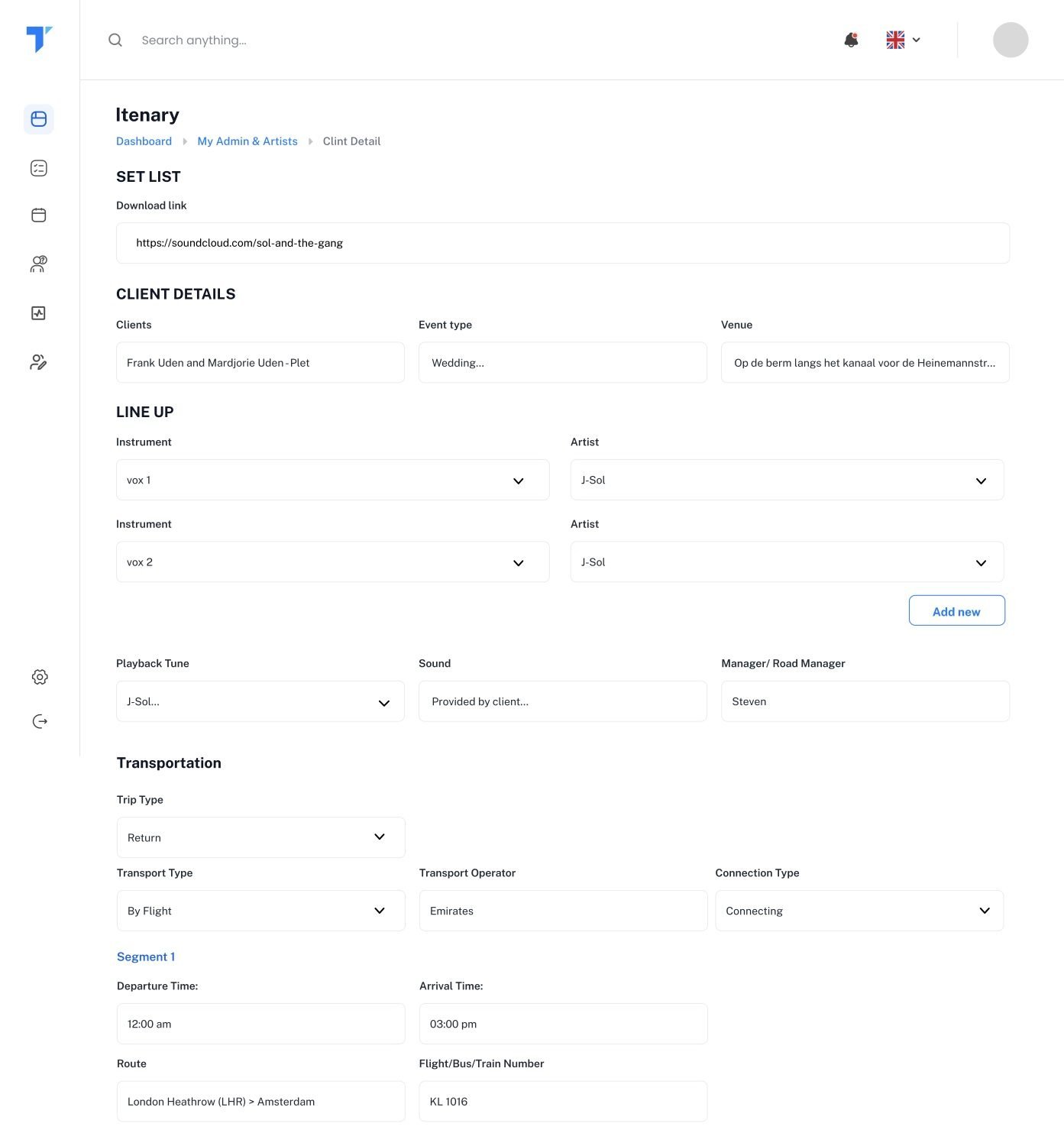
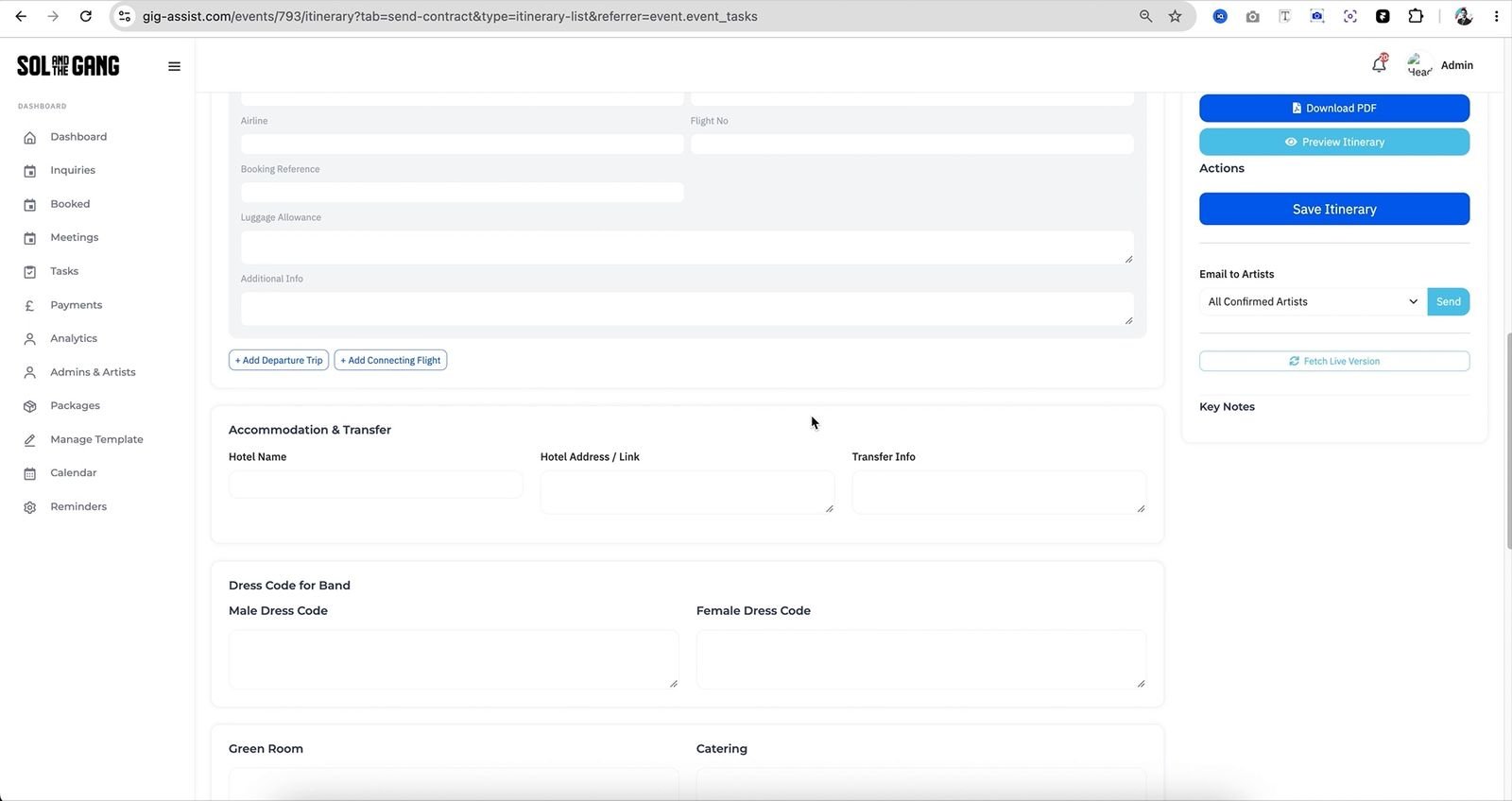
Itineraries used to be Word files that took an evening. I designed a structured template: flights, hotel, transfers, dress code, green room, catering, set times. The manager just fills it in and hits share; a clean PDF goes to the client and to every confirmed artist.

gig-assist.com/itinerary
The itinerary template I designed: set list, client, lineup, transport, segments and more.
gig-assist.com/events/itinerary
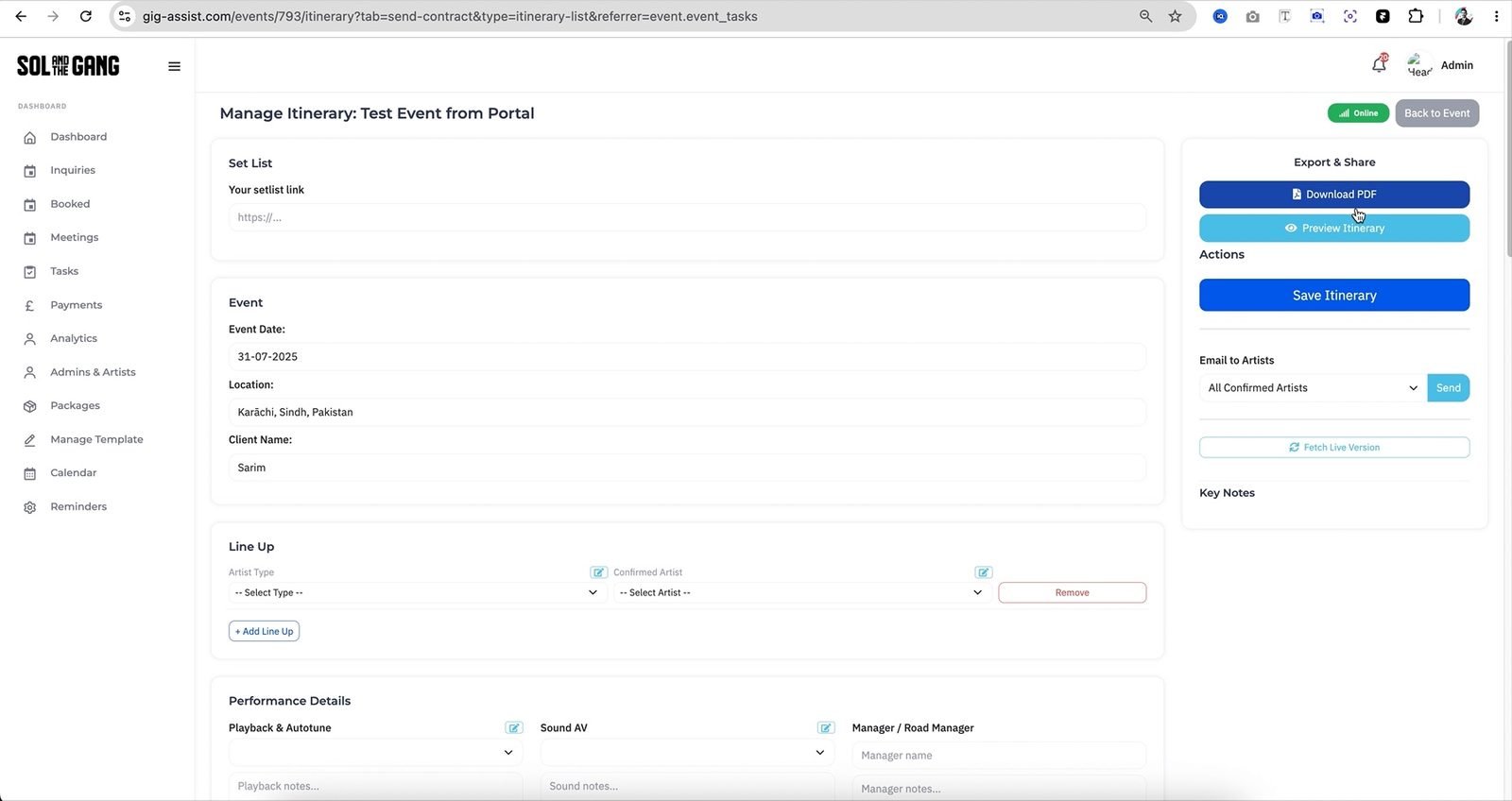
Live: fill in the template, then Download PDF, Preview, or email it to all confirmed artists.
gig-assist.com/events/itinerary · preview
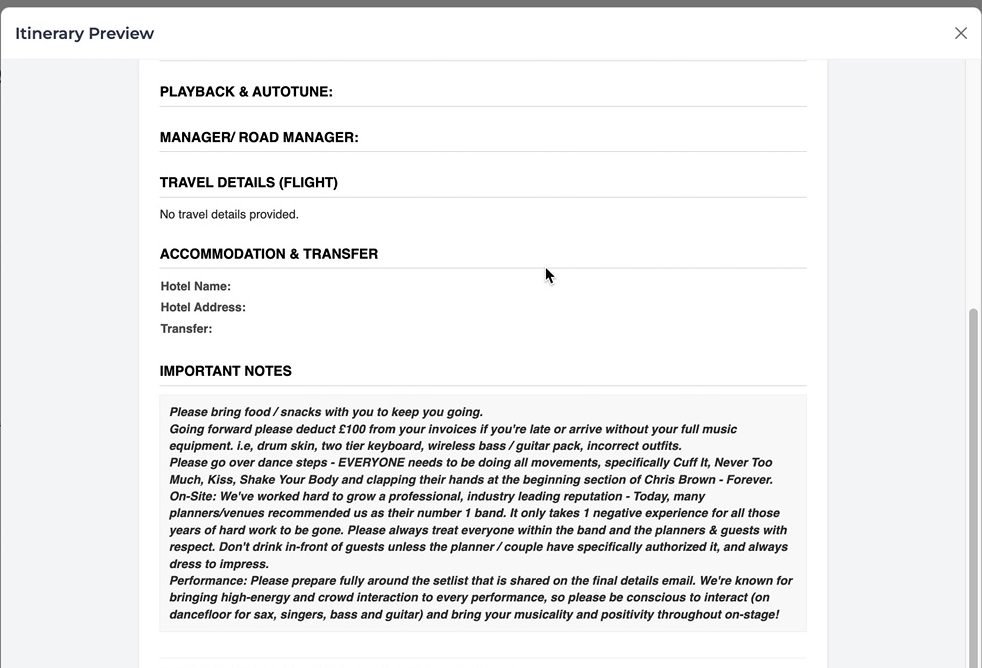
Live: the generated itinerary, ready to share.

The itinerary template I designed: set list, client, lineup, transport, segments and more.

Live: fill in the template, then Download PDF, Preview, or email it to all confirmed artists.

Live: the generated itinerary, ready to share.

07
Smart reminders

The platform remembers, so the manager doesn’t have to.

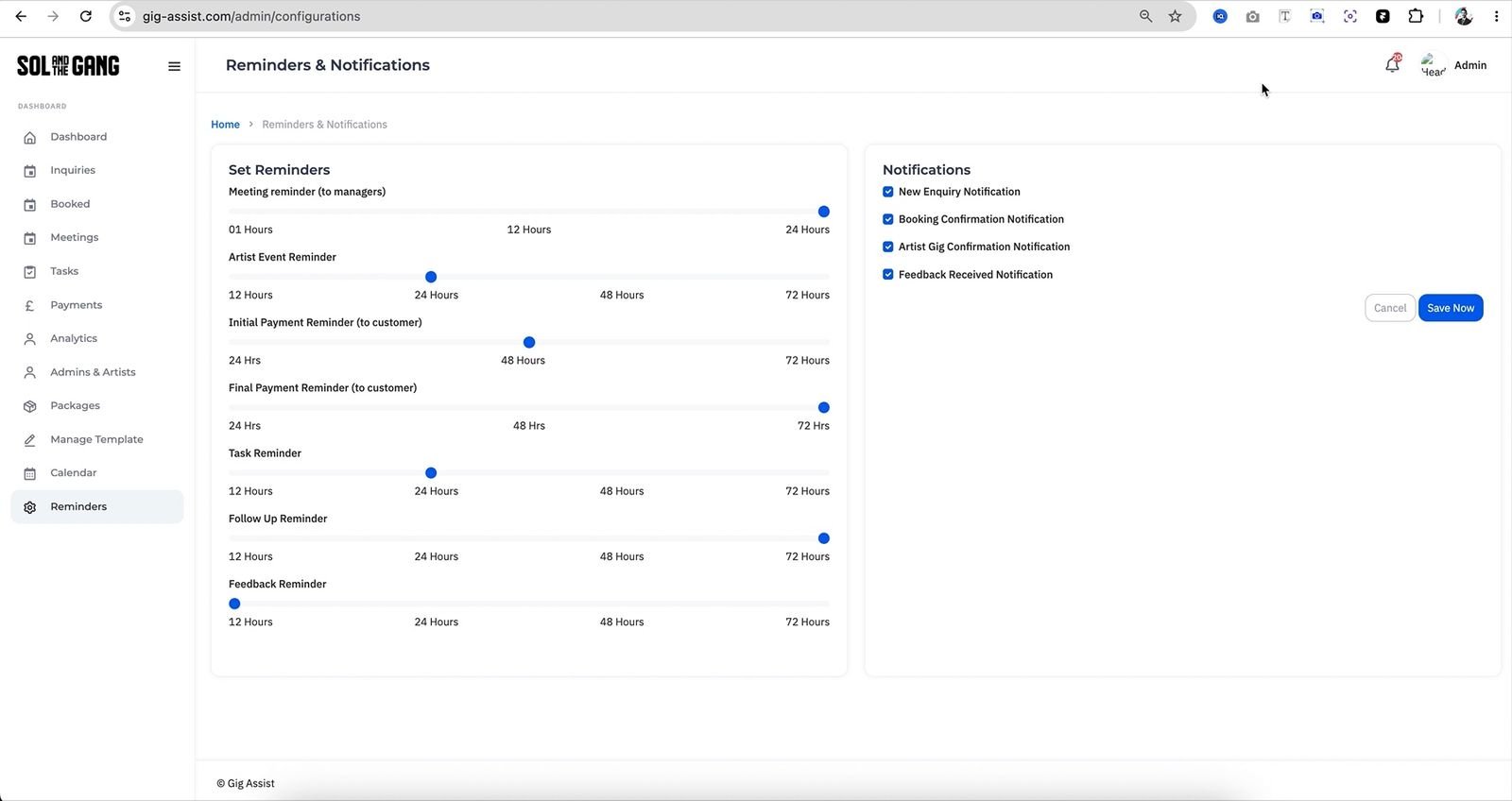
Reminders are settings the business controls, not hard-coded rules. Before the event, clients are reminded about remaining payments and artists get a heads-up that the gig is coming. After it, the client is asked for feedback. Drag the sliders.

🎤 Gig day
08
The artist side

Artists get their own dashboard, and WhatsApp when they’re on the move.

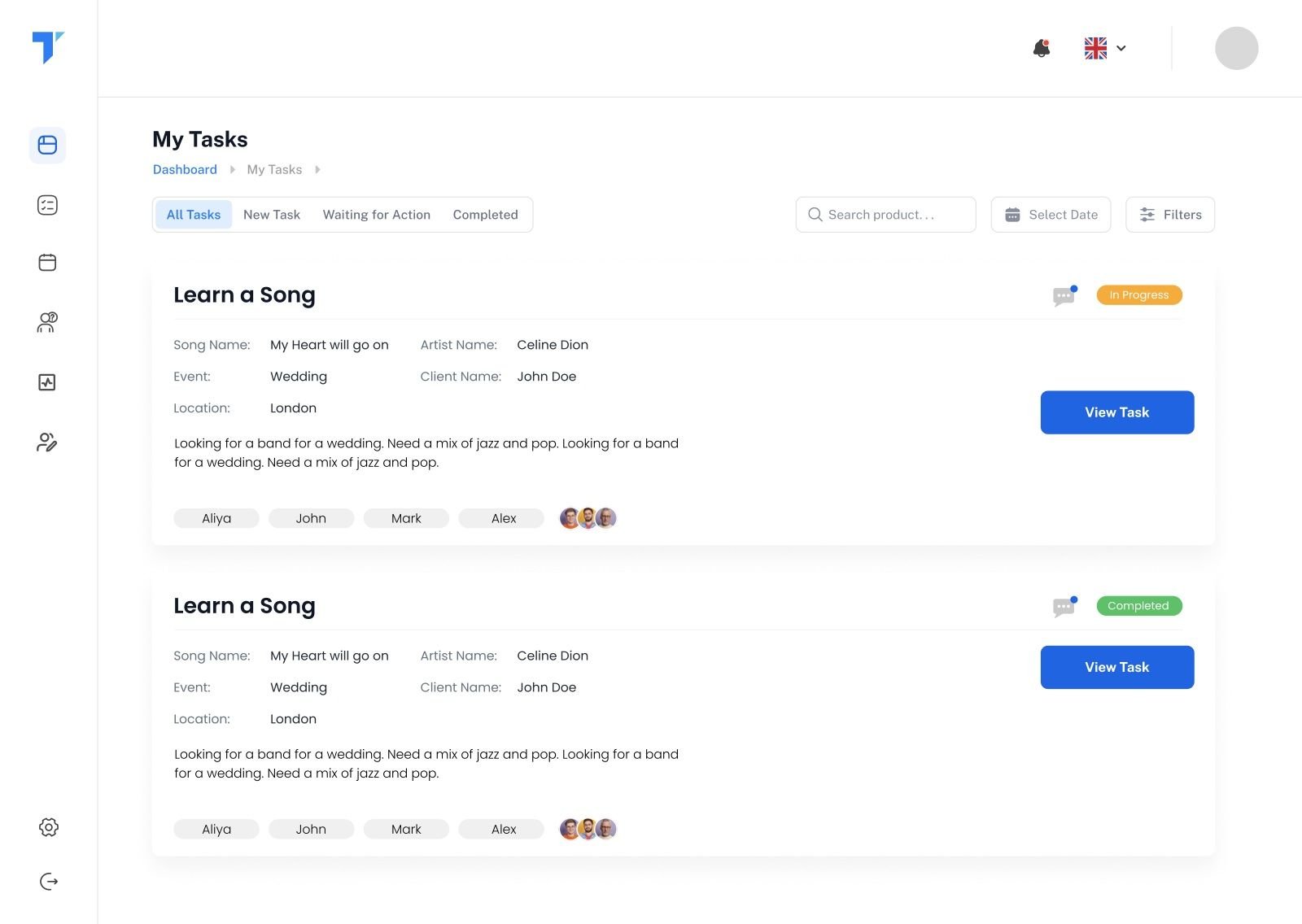
Artists have a separate dashboard for their gigs, tasks and payments. But most of the time they’re travelling or rehearsing, so the same updates reach them on WhatsApp: a new task, a gig coming up, a payment marked as paid.

gig-assist.com/artist/tasks
Artist tasks dashboard
Gig AssistWhatsApp Business
📝 New task
Learn “Baby” for the Sol & The Gang Tour · due 14 Oct
🎤 Gig in 3 days
Wedding · Villa Rusconi · soundcheck 17:00. Itinerary attached.
💷 Payment update
£750 for Wedding, 14 Sep, has been marked as paid.
06The system

I didn’t design twelve features. I designed one event, and twelve ways to work on it.

The key decision sat underneath the UI. Every enquiry, email, invoice, setlist, task and payment belongs to an event, so the manager never has to remember where something lives. Tap a module to see how it connects.

Eventclient · date · venue · status · money
Module

Tap any module

Each one reads from and writes to the same event, so information entered once is reused everywhere.

Roles & permissions
AdminManagerArtist (dashboard + WhatsApp)Client (email)
Integrations
WhatsAppMailgunGmail syncMeeting linksPDF generation
Stack
LaravelMySQLComponent-based frontendRole-based access
07Custom, but built like a product

Made for one band. Structured to grow beyond it.

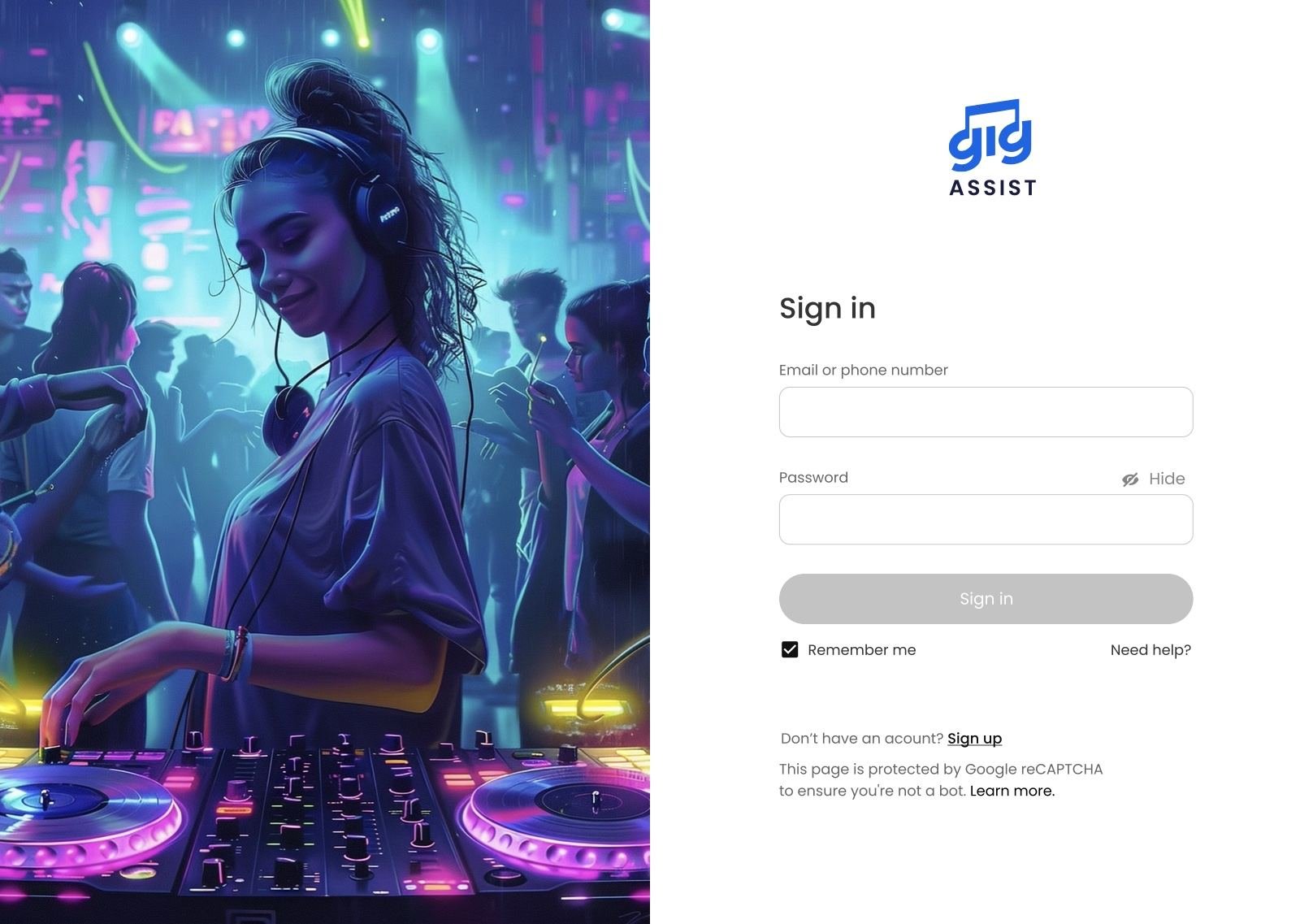
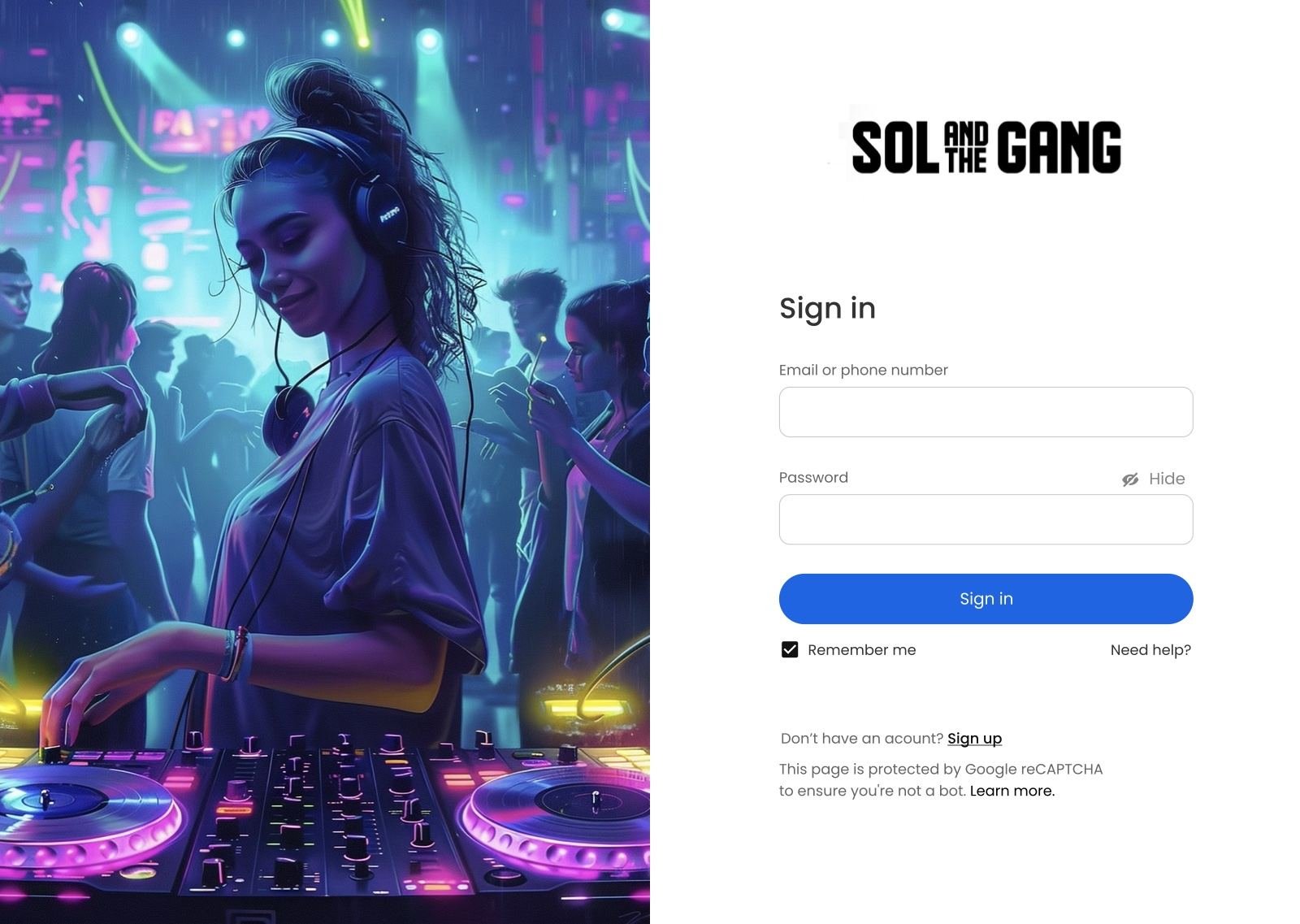
Gig Assist is 100% custom development, shaped around how Sol & The Gang works. But I kept the brand layer (logo, colours, sender name) separate from the system underneath, so it runs under their identity today and could run under another tomorrow.

gig-assist.com/sign-in
Gig Assist sign-inSol & The Gang sign-in
08From Figma to production

It didn’t stay a prototype. It shipped, and it runs the business.

As development moved, requirements changed, and I kept the product and the design moving together. Drag the slider to compare my design with the live system.

Live reminders screen
Designed reminders screen
DesignLive
⟷
gig-assist.com/admin/overview
Live analytics
gig-assist.com/itinerary
Live itinerary
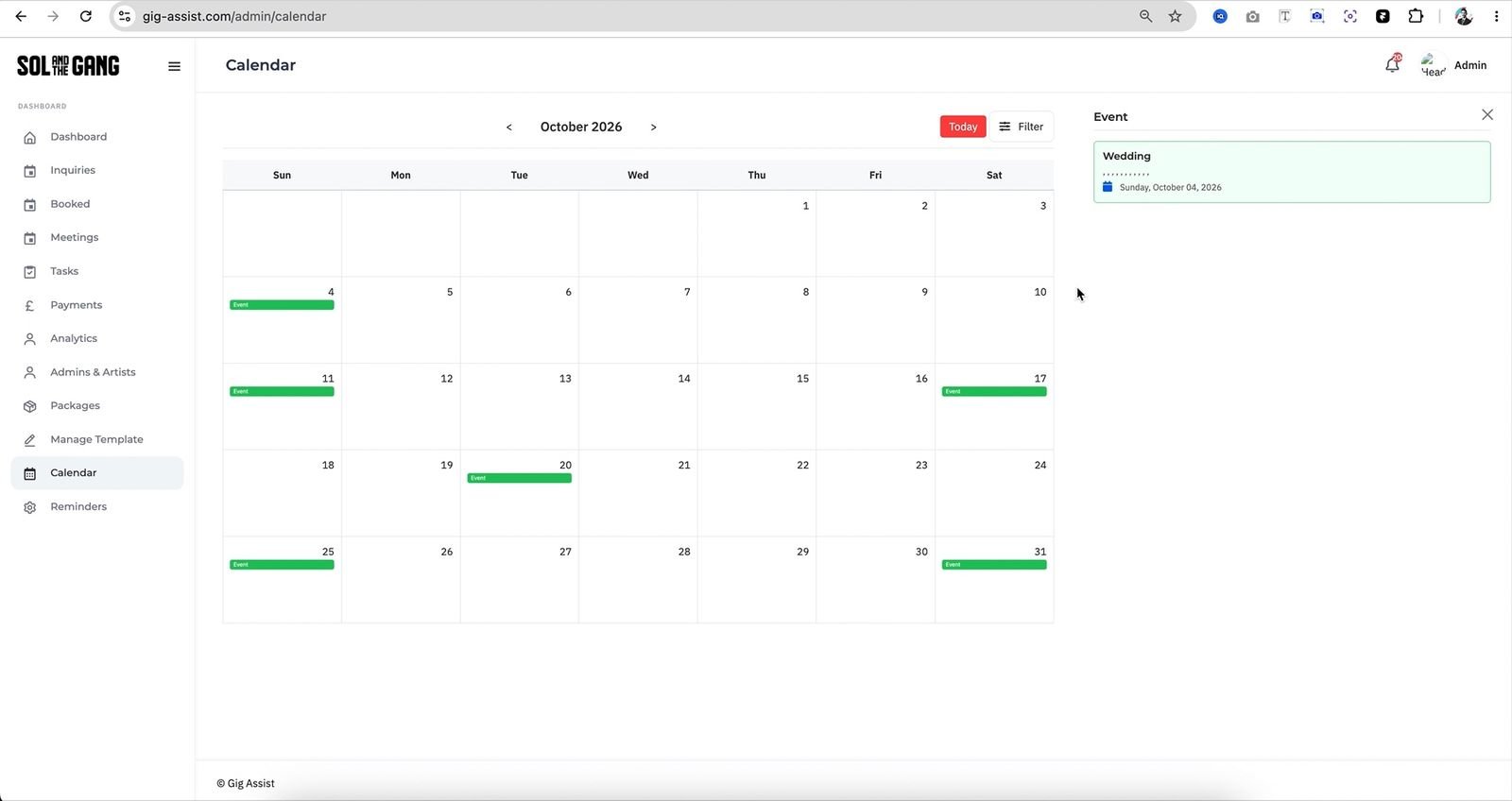
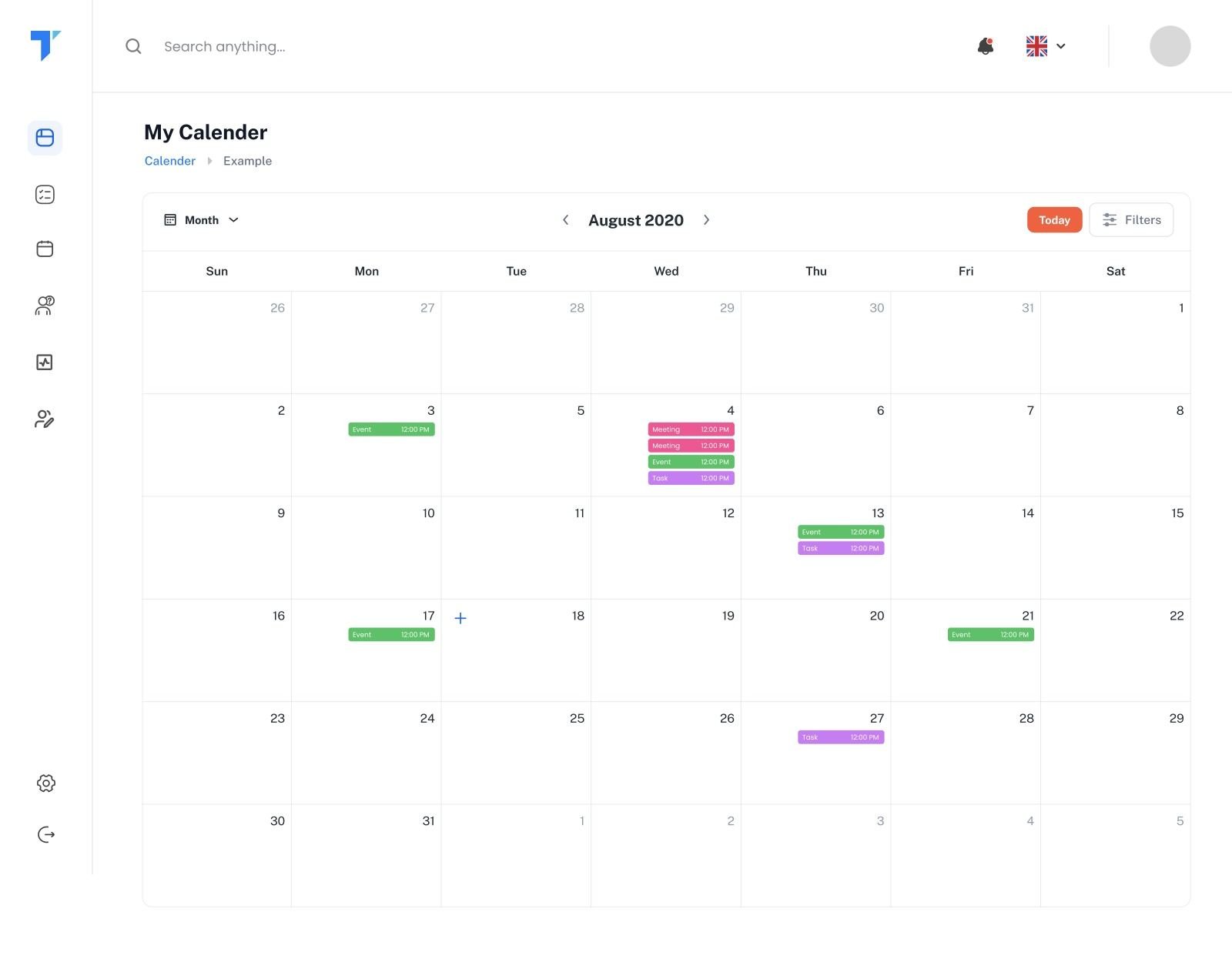
gig-assist.com/calendar
Live calendar
09What’s next

Next, the platform starts thinking ahead. AI, where it actually helps the manager.

The foundation is a clean record of every enquiry, conversation, booking and payment. That’s exactly what AI needs. These are on the roadmap.

Planned💬

Conversation assistant

Draft replies to enquiries in the band’s tone, using the package, date and what the client already asked.

Planned📈

Predictions

Which enquiries are likely to convert, which months will be busy, and how much revenue is coming.

Planned🎯

Suggestions

The best available lineup for a date, the right package to quote, and who to chase first.

10What it taught me

The best screen in a product is often the one that connects two others.

01

Model the domain before the UI.

Deciding that everything belongs to an event solved more UX problems than any single screen did.

02

Meet people where they already are.

WhatsApp for artists and Gmail for managers did more for adoption than any onboarding screen could.

03

Automate the remembering, not the relationship.

Reminders and templates save hours, but the manager still decides what to send and when. That trust matters.

I didn’t just design a booking tool. I designed the backstage of a band, and made sure it shipped.
Sarim NaeemProduct Designer · PM · Architect, Gig Assist

Need someone who can design it, plan it and see it through to launch?